
How to push a widget to Klaviyo, Mailchimp or HubSpot
Last updated
Once your platform is connected, you can send any saved widget straight into it with one click, instead of copying and pasting code. The widget's merge tags are filled in for your platform automatically.
| Platform | Arrives as | Needs |
|---|---|---|
| Klaviyo | A Universal Content block named "Sendtric - your widget name" | Any Klaviyo plan |
| Mailchimp | A template | Mailchimp Standard or higher |
| HubSpot | A reusable email module | A paid HubSpot plan with content access |
Works with countdown timers, polls, personalized and rule-based images, weather widgets, critical alerts and social proof counters.
Push a widget
- Connect your platform first. See how to connect Klaviyo, Mailchimp or HubSpot.
- Open the widget and click Save. The push button is disabled while there are unsaved changes.
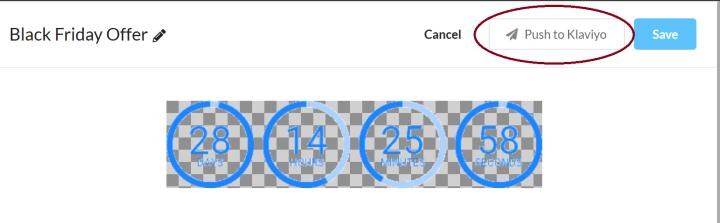
- Click Push to Klaviyo (or Mailchimp or HubSpot) at the top of the editor.
- You'll see "Content pushed" when it's done. Add the content to your email in your platform as usual.
Updating a pushed widget
- Most changes need no new push: the content links to your widget, so saving in Sendtric updates what subscribers see.
- If you push the same widget to Klaviyo again, the existing Klaviyo block is updated rather than duplicated. If you deleted it in Klaviyo, a new one is created.
If the push doesn't work
- "needs Mailchimp Standard or higher" or "needs a paid HubSpot plan": copy the widget's code instead. See how to add a widget to your email.
- "does not currently allow content-block pushes for this account": your platform account doesn't allow it. The editor scrolls to the code so you can copy it instead.
- Polls: a valid UID merge tag is needed first, in
{{ ... }}or*|...|*format. See how to set up the UID merge tag. - Klaviyo asks for new permissions: reconnect Klaviyo in Integrations.
Related
- How to connect Klaviyo, Mailchimp or HubSpot
- How to add a countdown timer to abandoned cart emails
- How to create an email poll and add it to your email
Was this article helpful?
Thanks for your feedback!