
Image Personalization For Emails
Personalize Every Image & Text
Automatically.
Show personalized images to every user for an engaging experience that boosts sales. Set it up once, and every recipient sees the version that's relevant to them.
- <5 MinutesSetup Time
- 99.99%Uptime
- AllESPs & Email Clients
- 80%average lift in conversion rate
More than 200,000 companies trust Sendtric




















Why Personalize Images In Your Emails?
Images are the first thing a reader notices when opening an email. A personalized image reacts to who's viewing it instead of showing the same static graphic to everyone, giving every subscriber a reason to look twice.
Grab Attention Instantly
A relevant image stops the scroll before a single word gets read.
Feel Relevant To Every Reader
Each subscriber sees an image built around their own data, not a generic graphic sent to everyone.
Boost Clicks and Conversions
A relevant visual gives readers a clear reason to look closer and act.
Send One Campaign, Not Many
Build one email and let the image adapt per recipient, instead of managing several segmented sends.
A Powerful, No-Code Editor
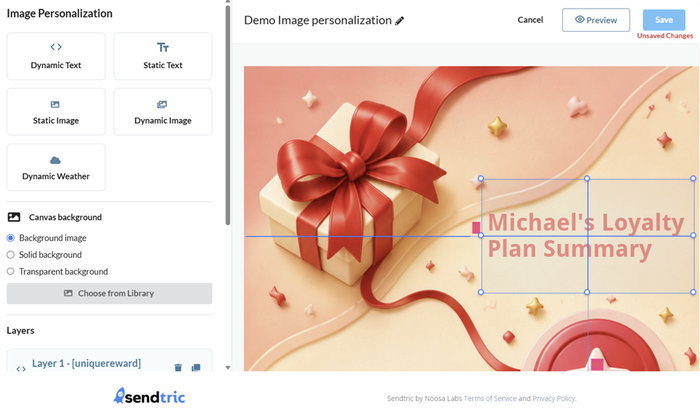
Create your personalized image in minutes without any coding or tech knowledge required.
Simply select the merge tags from your ESP, or connect to a data source and create the dynamic images, text, and other widgets of your choise.
Less Than 5 Minutes Setup Time
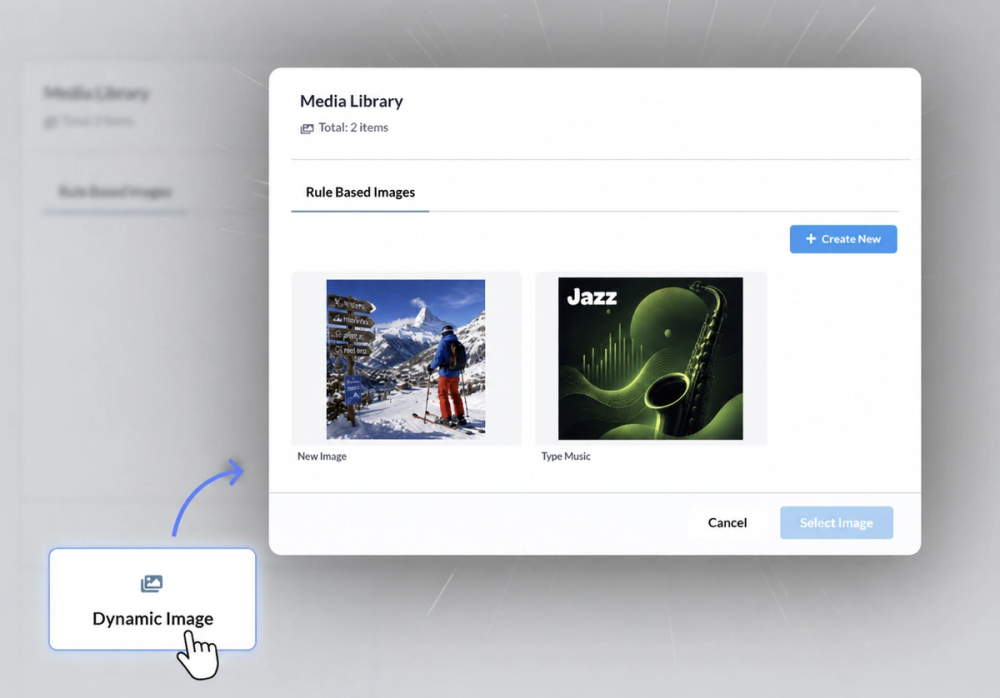
- Add dynamic images that change based on conditions you set
- Add weather forecasts and other dynamic widgets
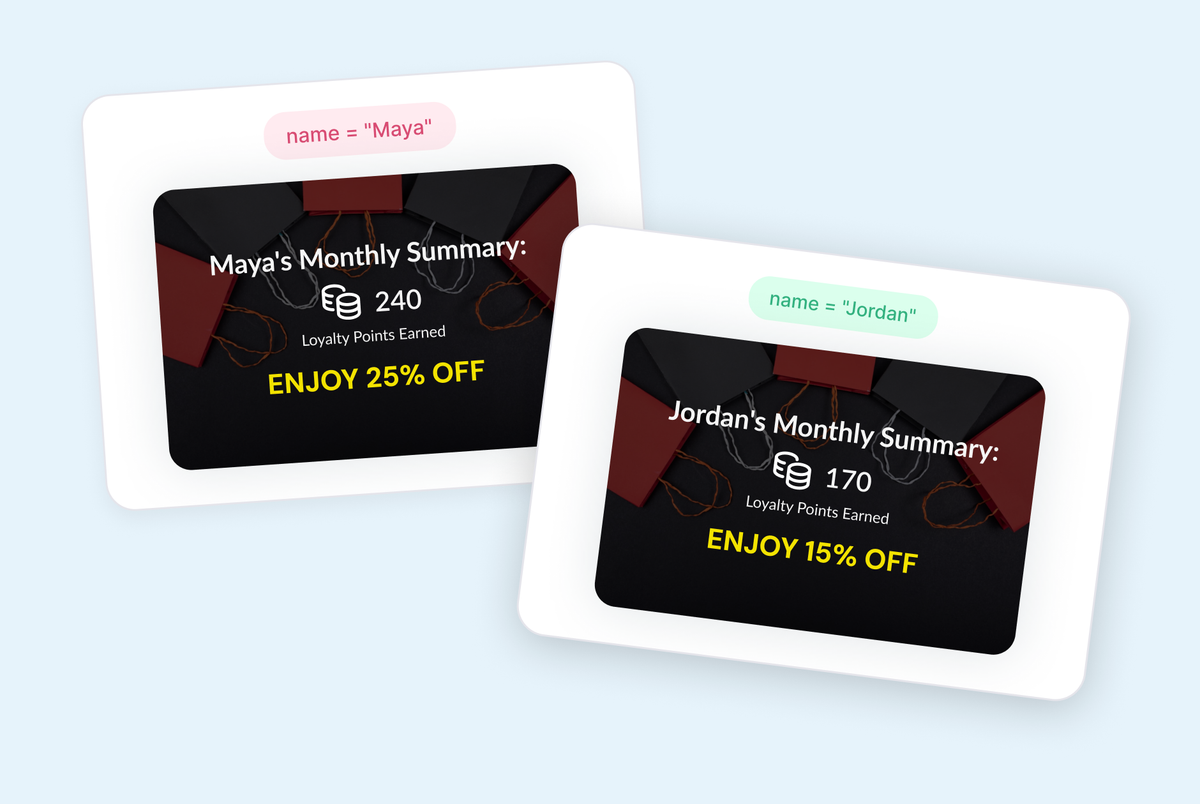
- Add data points such as names and loyalty points.
Dynamic Images
Overlay personalized images based on the conditions you set by combining our rule-based-images widget. Choose what images to overlay based on the data you have on your users or other conditions such as day of the week or operating system.
Location-Based Imagery
Show a destination photo, local offer, or region-specific product shot based on where each subscriber is.
Loyalty-Tier Imagery
Match the image to each subscriber's membership tier or eligible rewards.
Related Products Imagery
Feature the product or category each subscriber is most likely to buy next.
Dynamic Text
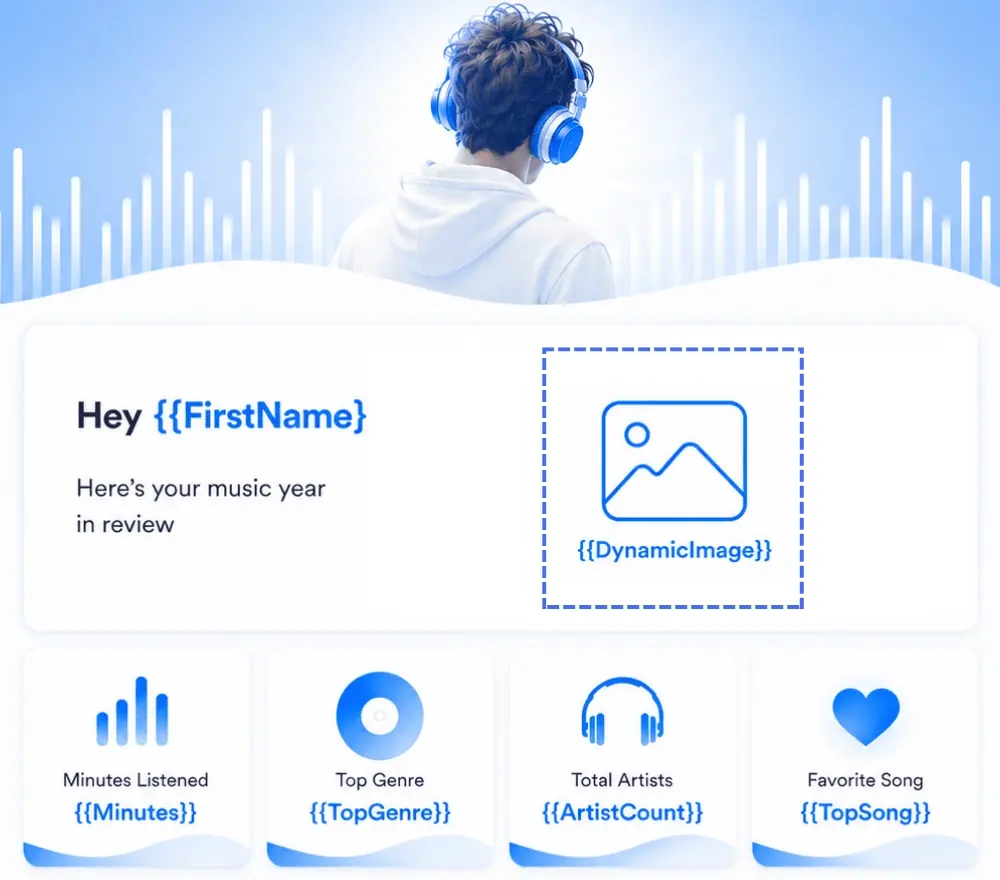
Add personalized text so that every user sees what is relevant to them
Personalized Names & Details
Greet each subscriber by name or reference their own order, itinerary, or account detail directly on the image.
Loyalty & Status Badges
Show users their loyalty tier, membership status, or reward balance that updates live on each email open when using data sources.
Before-and-After Stats
Show a subscriber's own usage stat or milestone numbers to create Wrapped style experiences.
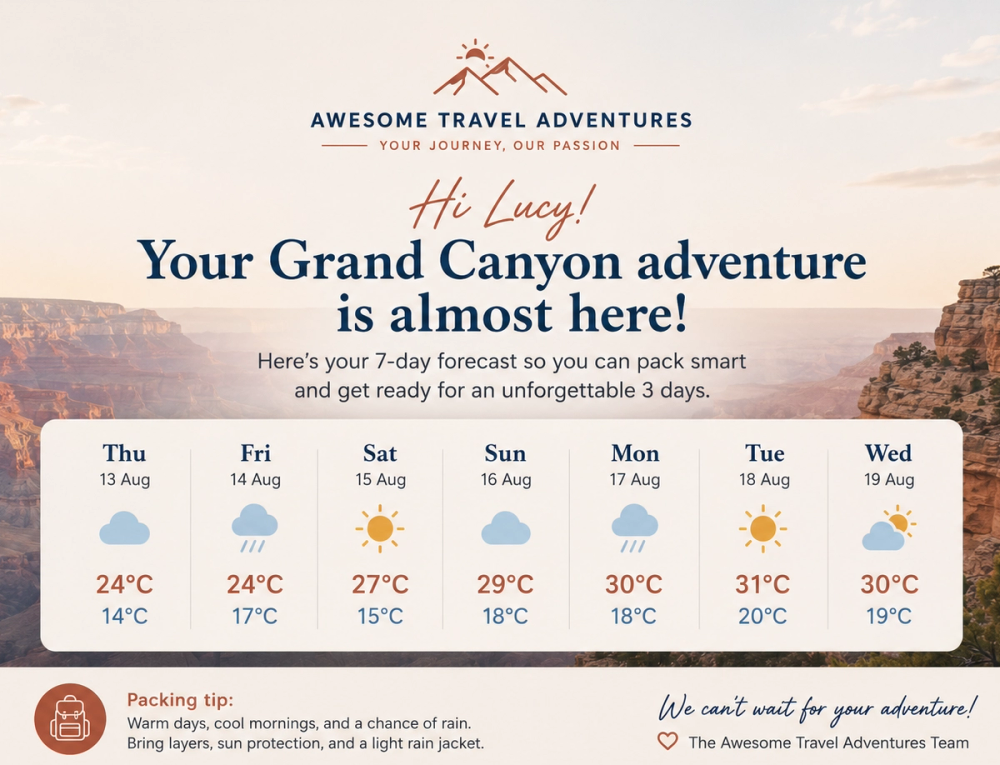
Dynamic Weather
Trigger a different personalized image based on the recipient's live local forecast at the moment they open the email.
Match The Image To The Forecast
Show a rain-gear product shot when the forecast says rain, or a sunny lifestyle image on a clear day to keep your users informed and ready.
Always Current
The image re-evaluates the live forecast on every open, so it never shows the wrong season or condition.
Build Your Personalized Image in Minutes
Upload Your Background Image
Choose the base image you want to personalize and decide which dynamic elements to add.
Customize The Dynamic Elements
Set the conditions, variables, and any data sources for each of your dynamic images, text or other widgets.
Copy and Paste Into Your Email Template
Copy the code into your ESP's template or HTML editor. No coding needed.
Works With Every Major Email Platform
Sendtric’s email countdown timers and interactive email personalization widgets integrate seamlessly with all major email service providers, marketing automation platforms, CRMs and websites.
Add countdown timers to Mailchimp, Klaviyo and HubSpot, or use Sendtric with Salesforce Marketing Cloud, SendGrid, ActiveCampaign, Brevo, Braze, Iterable, GetResponse and many more leading email platforms. No installation or tech knowledge needed — simply create, copy & paste.
- No installation or tech knowledge needed. Simply create, copy & paste.
- Sendtric widgets are built within a reliable, tested infrastructure with 99.99% uptime.
- Optimized for fast loading times within your email templates.
- Follow our platform-specific setup guides or view all integrations to get started.
Why clients LOVE Sendtric...
“We couldn't be happier with Sendtric. It allows us to add value to our customers and see the NPS go up. The countdown feature has been an invaluable tool to drive revenue for our customers. It adds a touch of personalized dynamism and urgency to our users' campaigns, effectively motivating their customers to act promptly.”
Founder of WoowUp
“At Splio, we are thrilled to share how Sendtric has transformed customer engagement through its exceptional countdown feature. This powerful tool allows us to personalize our customers' campaigns and instill a sense of excitement and urgency, driving the end-customers to take immediate action. With Sendtric, we have elevated our customer satisfaction. It's very quick & simple to install together with Beefree, allowing us to generate instant value.”
VP of Product at Splio

Data Sources
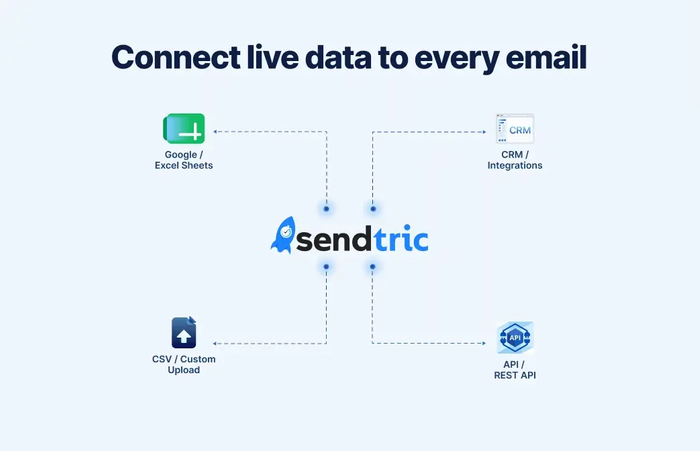
Sendtric's personalized image widgets can pull the data that decides which personalized image or text to show from wherever you already keep it: Your CRM, via REST API, a CSV upload, a Google Sheet, or an Excel Online workbook. Connect a source once, and every image widget on the page can use it, so recipients never see a mismatched or out-of-date information.
- Always current: the correct variant is chosen fresh on every open, not just at send time
- No manual re-uploading: update your source once and every widget reflects it
- Works with what you already use: Your CRM, via REST API, CSV upload, Google Sheets, or Excel Online
- Connect once, then reuse the same source across as many image widgets as you like
Explore Sendtric's Other Widgets
- See Email Personalization — personalize every email to improve user engagement and conversions.
- See Email Countdown Timer — live-updating timers for sales, launches, abandoned carts, and more.
- See Live Email Polls — in-email polls that collect feedback directly within the email.
- See Rule-Based Images — show a different image or widget to every user based on set conditions.
- See Dynamic Weather — trigger personalized experiences off a live, location-based forecast.
Frequently Asked Questions
Do I need a developer or any code to set this up?
No. No installation or technical knowledge is required. You create your image personalization widget in the editor, copy the HTML code, and paste it into your email template.
It’s easy and quick.
Will this work with my ESP or email builder?
Yes. Our widgets work with all major ESPs including Mailchimp, Klaviyo, HubSpot, Salesforce Marketing Cloud, SendGrid, ActiveCampaign, Brevo, Braze, Iterable, GetResponse, and 100+ other platforms.
All our widgets work with all email clients too.
How is rule-based image personalization different from image personalization?
Image personalization shows different dynamic elements within a base background image.
Rule-based image personalization swaps the entire image or widget based on conditions you set.
Both widgets can use the other widget within itself to create powerful personalization experiences.
What happens if a subscriber doesn't have any data?
They see your fallback text, image, or widget that you set up for that element. If there is no fallback entered, then it will show nothing so there will never be any broken elements.
Can I combine Image Personalization with other widgets?
Yes - you can use the image personalization widget with other widgets to show dynamic images, dynamic weather etc. In fact, we recommend it to make each user’s experience even more engaging!