
How to upload custom brand fonts
Last updated
On Enterprise plans you can upload your brand's own fonts and use them in countdown timers, polls and personalized images. Everyone else can choose from more than 900 Google Fonts.
Upload a font
- In the dashboard, open Settings and expand Brand.
- Click Upload font.
- Click Choose font and pick a
.ttffont file, or drag the file in. - Repeat for each font, up to 20.
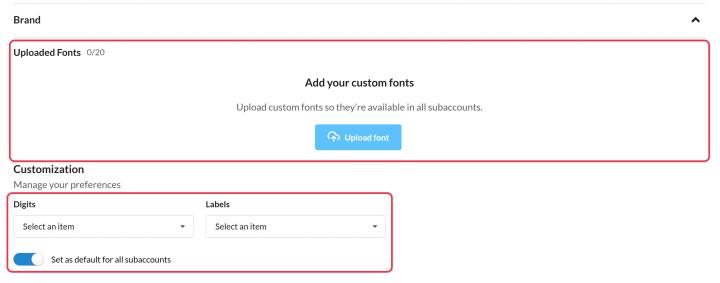
Uploaded fonts appear under Your fonts at the top of the font list in the editors, for the main account and every subaccount.
Set default fonts
Still in Brand, choose default Digits and Labels fonts. Tick Set as default for all subaccounts so new timers across your organization start with your brand fonts.
Tips
- Make sure your font license allows use in images and email.
- Upload each weight you need (for example Regular and Bold) as its own file.
Related
- Countdown timer customization options
- How to create a personalized image
- How to create and manage subaccounts
Was this article helpful?
Thanks for your feedback!