How to Add Critical Alerts to SendGrid
Add a Sendtric critical alert to your SendGrid templates once, then show or hide a warning banner in emails that have already been delivered.
 First Publish Date:
Warn SendGrid recipients about a problem, even in emails that went out last week.
A Sendtric critical alert is a banner you place in an email ahead of time. While it is off, it is invisible. When something goes wrong, such as a shipping delay, an outage or a cancelled event, you switch it on in Sendtric and every email that contains it shows the banner the next time it is opened.
Critical alerts are available on Sendtric Enterprise plans only.
Once SendGrid has delivered a message, its content is fixed. A critical alert works around that because the banner is an image Sendtric serves on each open, so the decision to show it is made at open time.
What you can do with critical alerts in SendGrid
- Transactional safety net: add an alert to order and shipping confirmation templates, then switch on a delay notice if a carrier or warehouse has problems.
- Service status for SaaS: keep a "We're experiencing technical issues" banner in onboarding and billing emails and turn it on during an incident.
- Events: show a postponement or venue change in the reminder Single Sends people already have in their inbox.
- Sell-outs: tell late openers that more stock is on the way instead of letting them hit an empty product page.
How to add a critical alert to SendGrid
Step 1: Design the alert
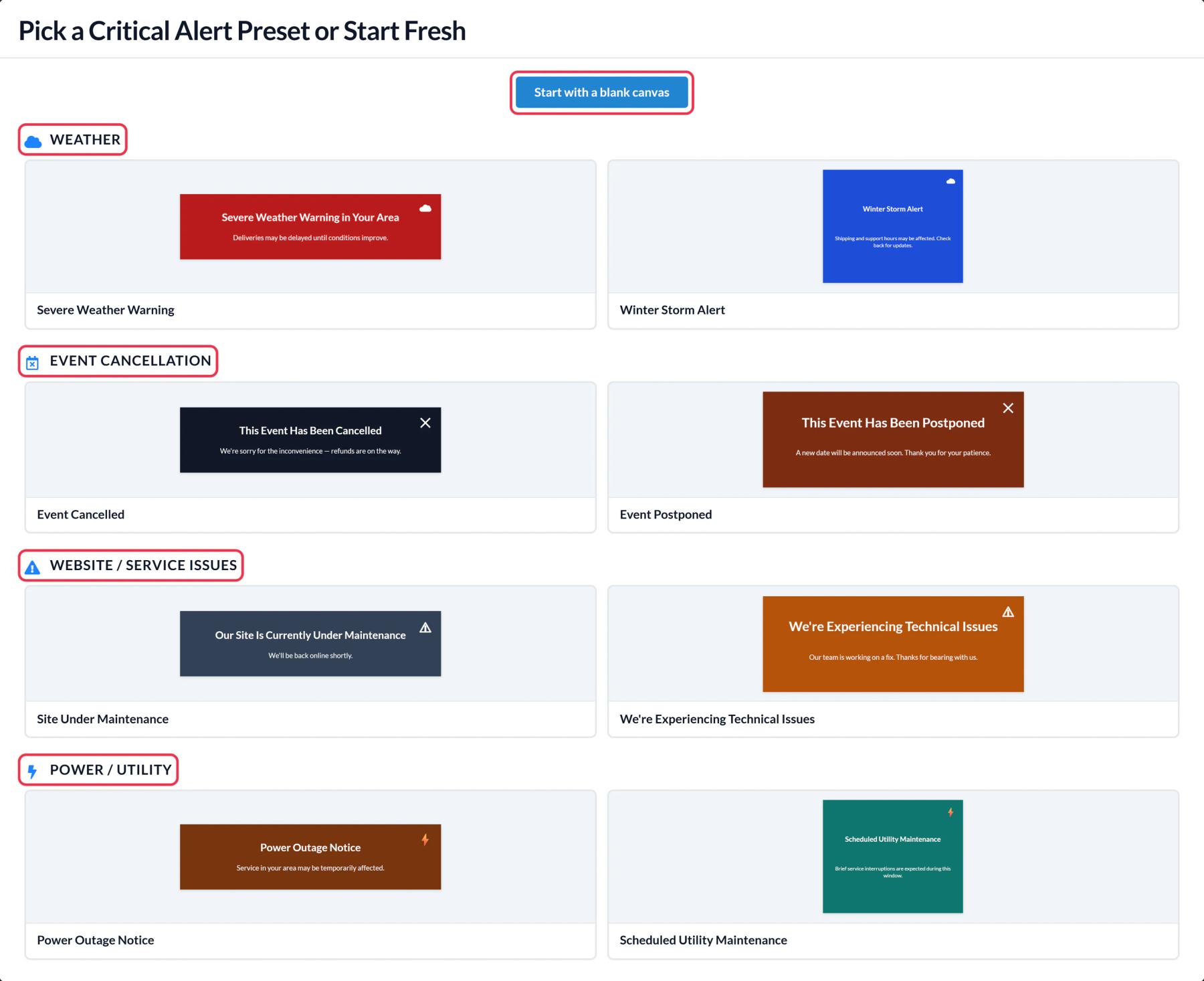
In Sendtric, open Critical alerts, click Create New and pick a preset, such as We're Experiencing Technical Issues, or start with a blank canvas. Edit the text and colors to suit your brand.
Step 2: Decide when it shows
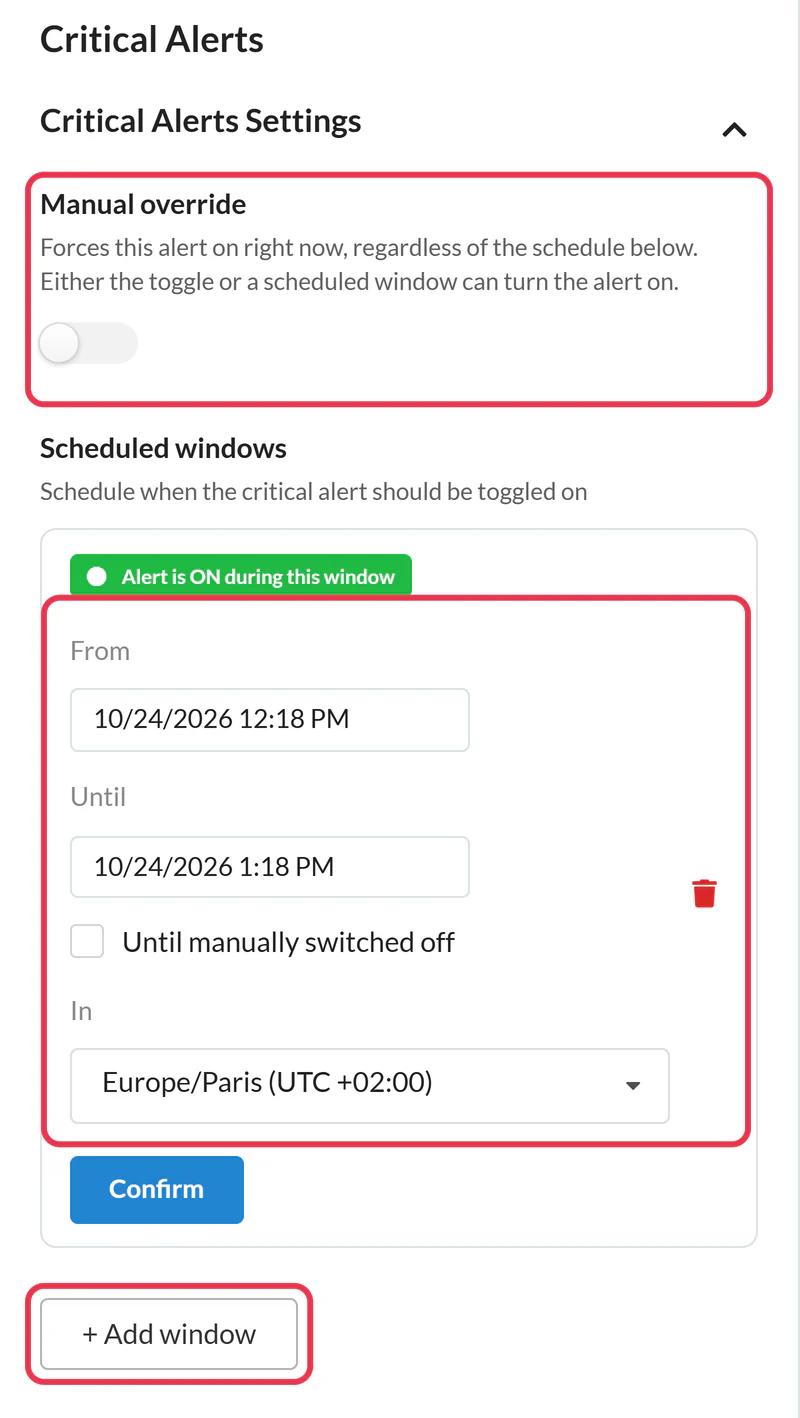
In Critical Alerts Settings, leave Manual override off for now. If you already know when an issue will run, such as planned maintenance, click + Add window, set From, Until and the time zone, and click Confirm. Then Save.
Step 3: Copy the code
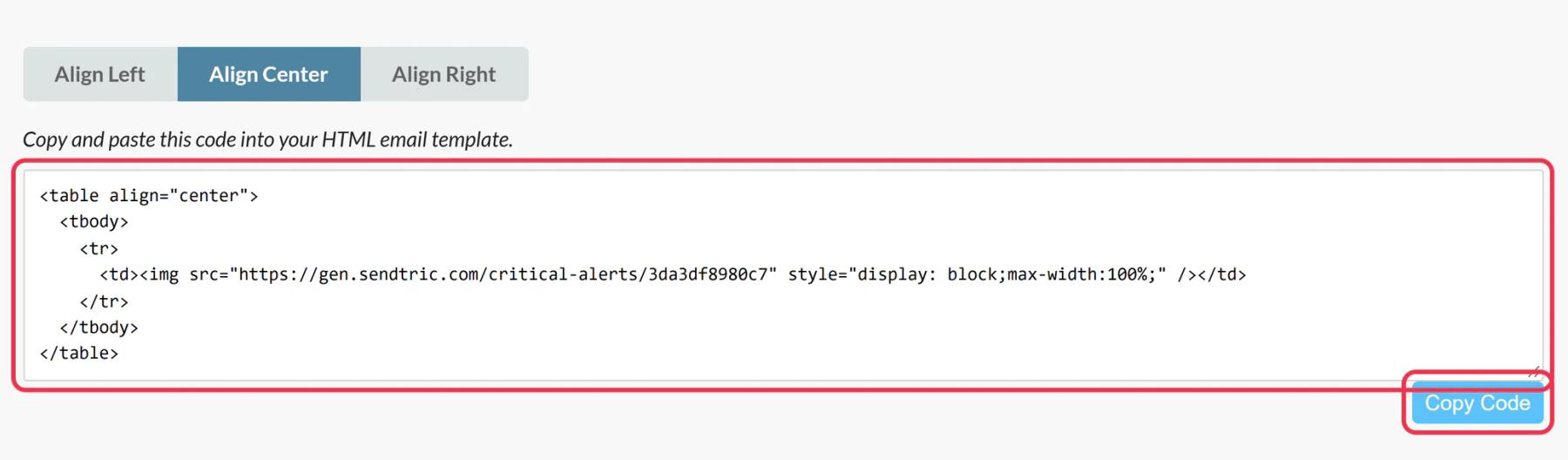
Click Copy Code. The code never changes, so you can paste it into as many templates as you like and control them all from one alert.
Step 4: Add it to your SendGrid templates
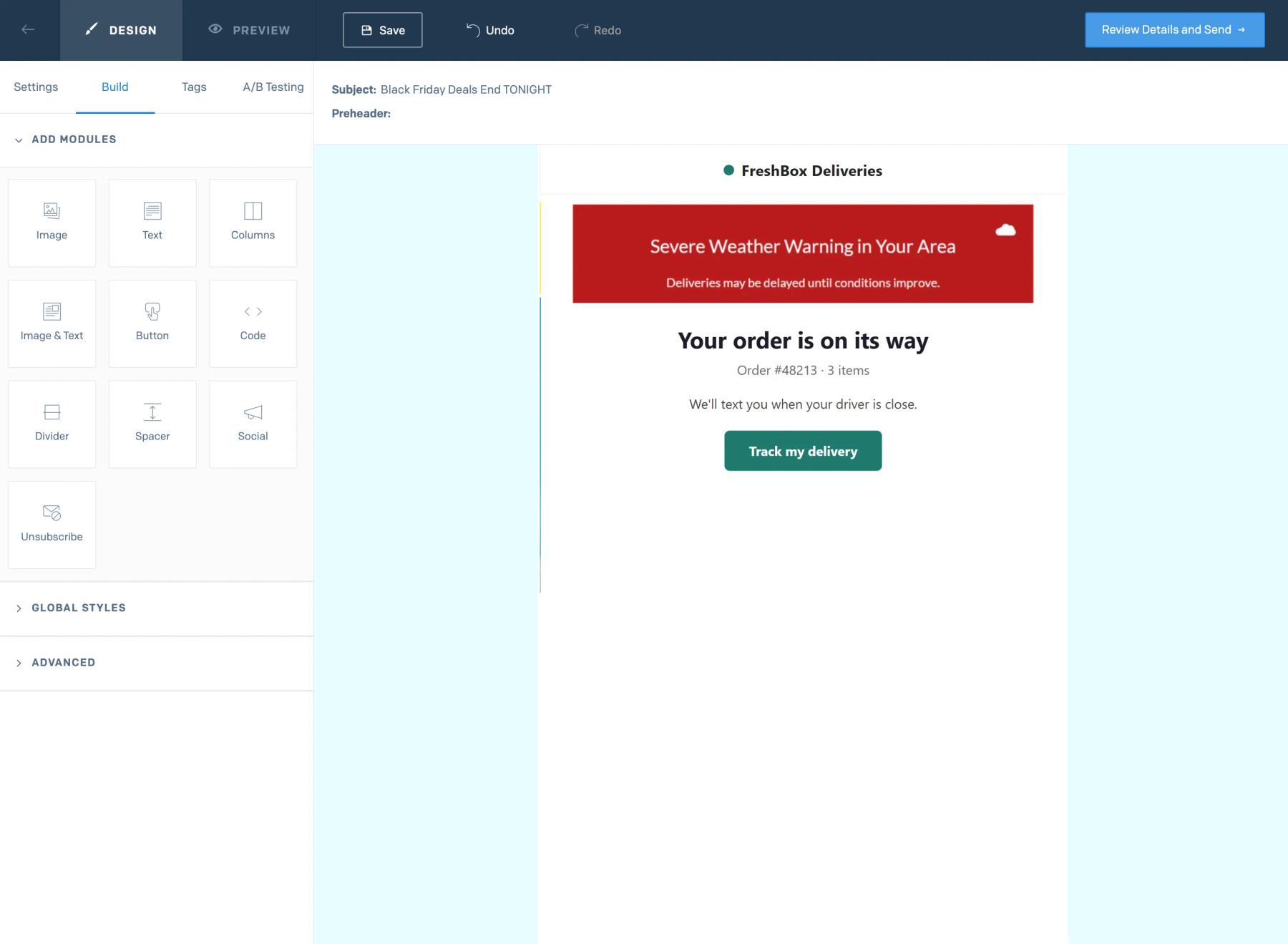
In each Dynamic Template version or Single Send, drag a Code module from the Build tab to the top of the email, paste the code into Edit Module HTML and click Update. For transactional templates, remember to Save the version and keep it active.
Step 5: Test it both ways
Send a test while the alert is off and confirm nothing shows. Then turn on Manual override, reopen the same test email and check the banner appears.
Put alerts in transactional templates first
Order, shipping and account emails are the ones customers reopen when something goes wrong, and Dynamic Templates are reused for every send. One Code module in each template covers every future message from that template.
Views only count while the alert is on
An alert sitting in thousands of SendGrid emails doesn't use up views while it is off, so it is safe to add it widely.
SendGrid Critical Alerts FAQ
Which Sendtric plan includes critical alerts?
Enterprise plans only. Contact us or see pricing if you want to try them.
How quickly does a switched-on alert appear?
The on or off state is checked every time the image loads, so the next open shows the current state. Some email apps keep their own copy of images, which can delay the change for a reopened email.
Can I edit the banner while it is live?
Yes. Change the text or design and save. Emails show the new version on the next open.
What does the reader see while the alert is off?
Nothing. Sendtric serves an invisible 1 by 1 pixel image, so the email looks as if the alert isn't there.
How do I turn an alert off again?
Switch off Manual override, or let the scheduled window end. Our help article on turning a critical alert on or off has the details.
This guide covers one piece of Sendtric's email personalization platform. For every critical alerts option and example, see the main page.
More SendGrid guides
- Countdown Timers - How to Add Countdown Timers to SendGrid
- Live Polls - How to Add Live Polls to SendGrid
- Personalized Images - How to Add Personalized Images to SendGrid
- Rule-Based Images - How to Add Rule-Based Images to SendGrid
- Dynamic Weather - How to Add Dynamic Weather to SendGrid
- Social Proof Counters - How to Add Social Proof Counters to SendGrid
Using a different platform? See all Sendtric integrations.