How to Add Critical Alerts to ActiveCampaign
Put a hidden Sendtric alert in your ActiveCampaign automations and campaigns, then switch it on when you need to tell everyone something changed.
 First Publish Date:
Switch a warning banner on in ActiveCampaign emails people already have.
A Sendtric critical alert is a banner that sits invisibly in your email until you turn it on. Once on, every copy of the email shows it on the next open. It's built for the moments when plans change after the send: a delayed delivery, a cancelled class, a service outage.
Critical alerts are a Sendtric Enterprise feature.
ActiveCampaign automations can run for weeks, and an email sent on day one can't be edited once it has gone out. Adding an alert to those emails gives you a way to reach everyone still reading them.
What you can do with critical alerts in ActiveCampaign
- Long-running automations: keep an alert in onboarding and welcome emails so you can flag a policy change or outage to contacts at every step.
- Events and classes: switch on "Event Postponed" in reminder emails if the date moves.
- Planned maintenance: schedule a maintenance notice to show during a known window and disappear afterwards.
- Stock and shipping: tell people who open a promotion late that delivery times have slipped.
How to add a critical alert to ActiveCampaign
Step 1: Create the alert
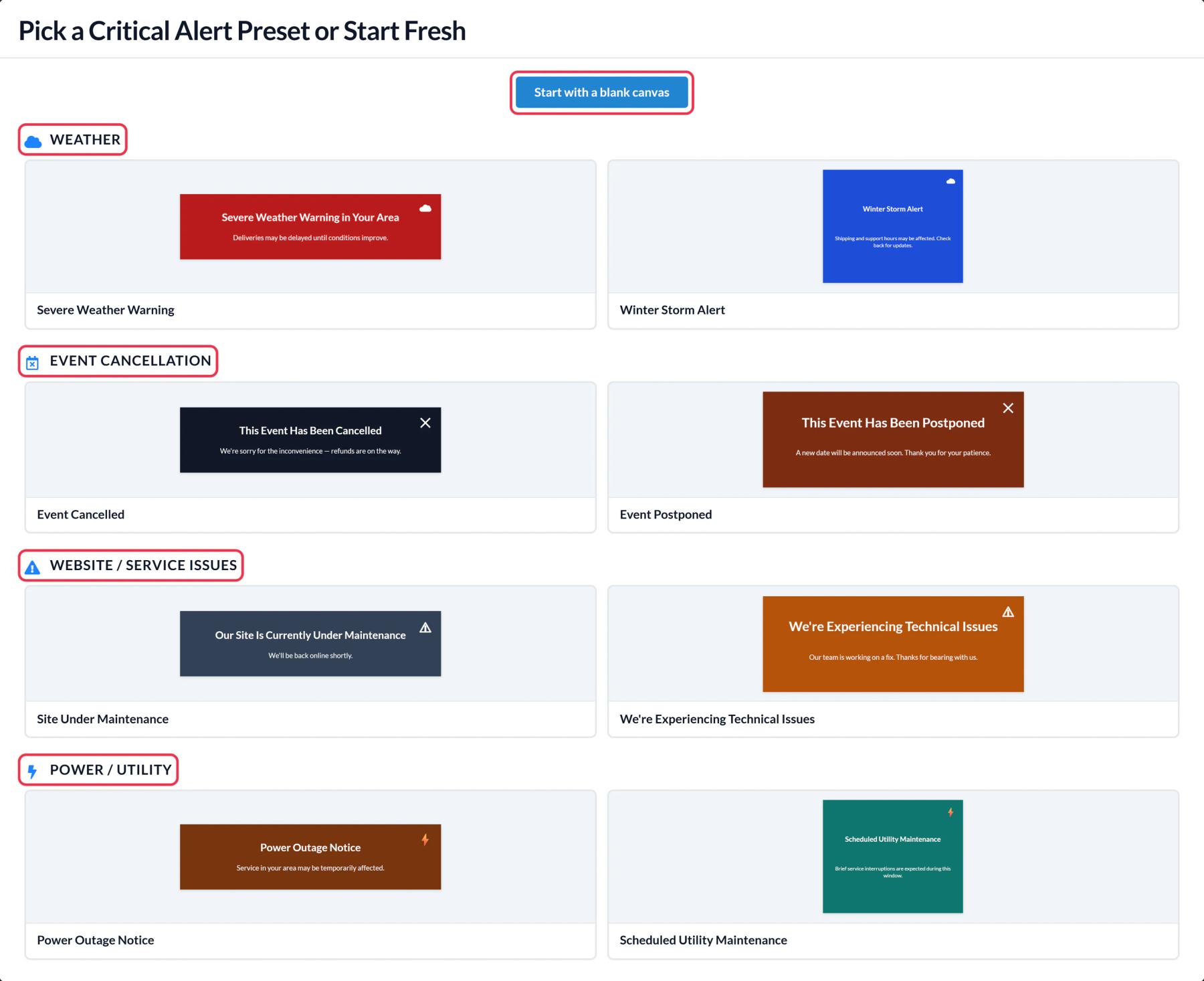
In Sendtric, open Critical alerts, click Create New and pick a preset or a blank canvas. Write a short, clear message.
Step 2: Leave it off, or schedule it
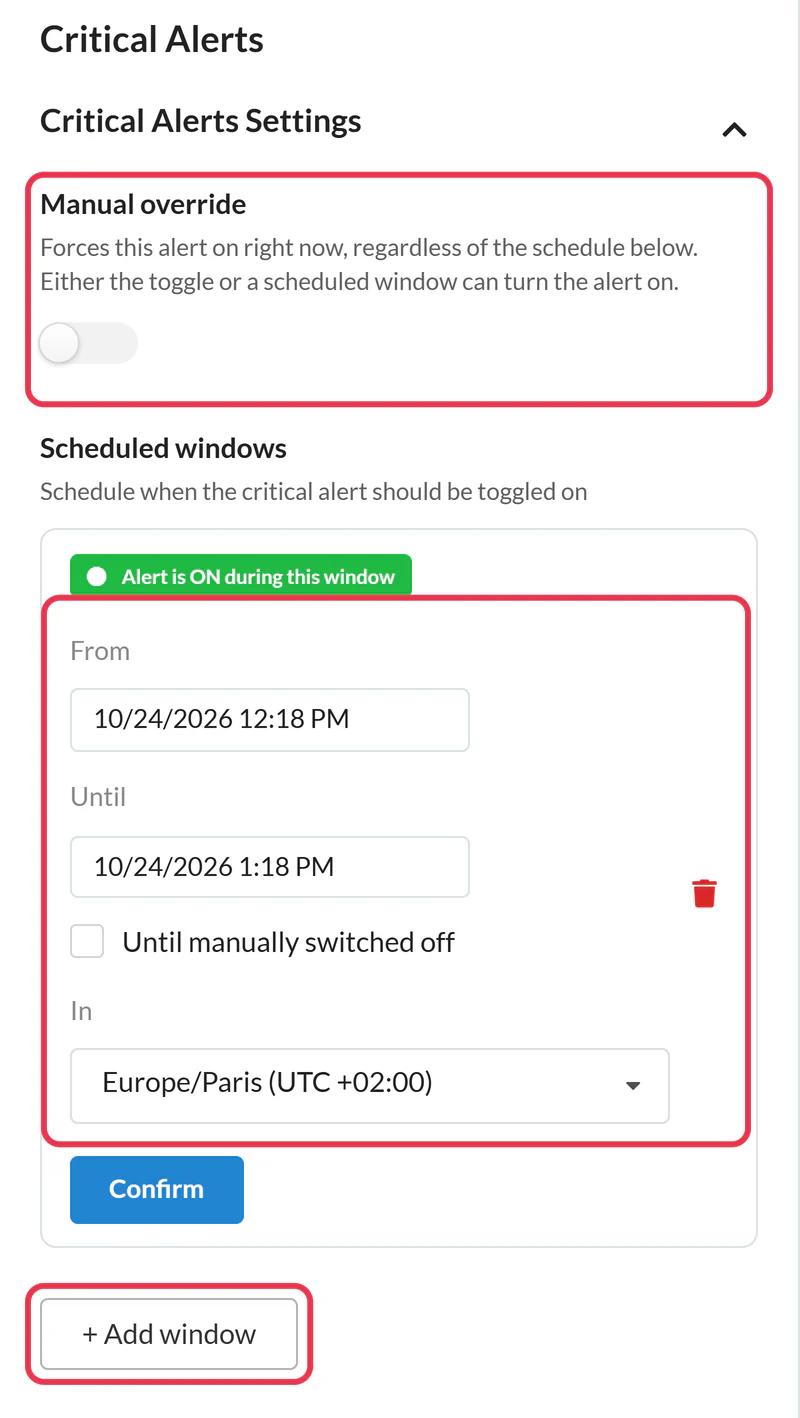
In Critical Alerts Settings, keep Manual override off so the banner stays hidden. If the timing is known, click + Add window and set the start, end and time zone, then Confirm and Save. You can add up to five windows.
Step 3: Copy the code
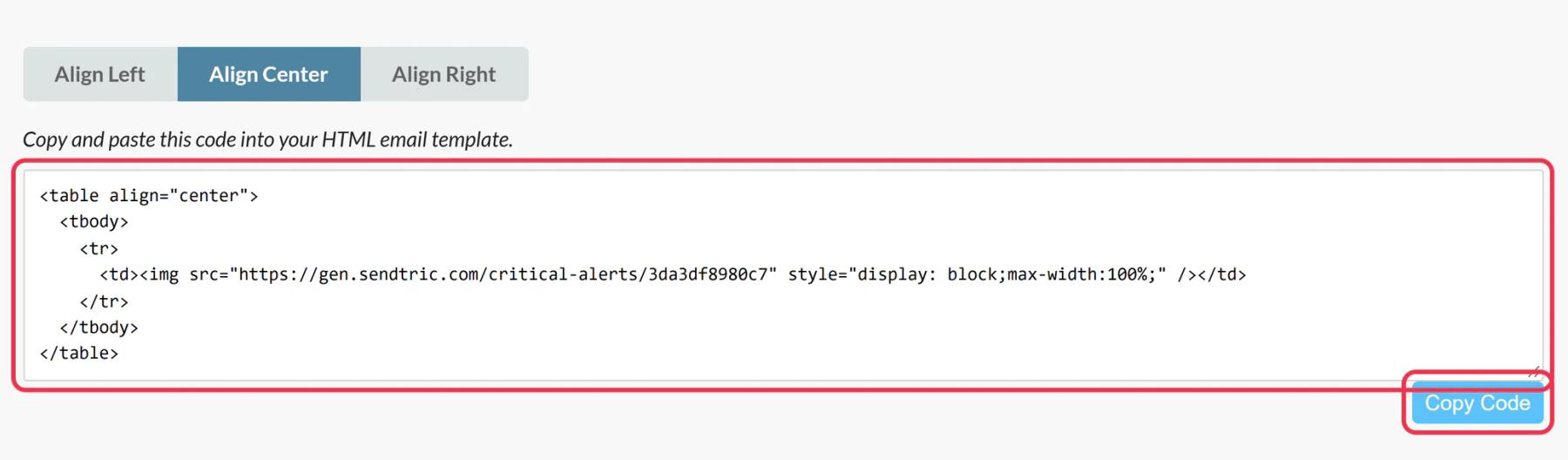
Click Copy Code. The same code can go into every email you want the alert to cover.
Step 4: Add it to your ActiveCampaign emails
In the Email Designer, drag the HTML block from Blocks to the top of each email, click it and paste the code. For automations, add it to every email in the sequence you might need to update.
Step 5: Test off and on
Send yourself a test with the alert off and check that nothing appears. Then switch on Manual override in Sendtric and reopen the same email to see the banner.
Add it to saved templates
Put the HTML block in the campaign templates you start from most often, so new emails carry the alert without anyone having to remember it.
No views while it's off
Views are only counted while the alert is on, so leaving it in every automation email costs nothing until you use it.
ActiveCampaign Critical Alerts FAQ
Do I need a Sendtric Enterprise plan?
Yes. Critical alerts are only available on Enterprise. See pricing to get in touch.
Will contacts see an empty gap while the alert is off?
No. Sendtric serves an invisible 1 by 1 pixel image, so the email looks normal.
Can one alert cover many ActiveCampaign emails?
Yes. Paste the same code into as many emails as you like. Turning the alert on shows it in all of them.
Can I change the wording once it is on?
Yes. Edit and save in Sendtric, and the next open shows the new text.
How do scheduled windows and the manual switch work together?
The alert is on whenever the manual switch is on or the current time falls inside a window. More in how to turn a critical alert on or off.
This guide covers one piece of Sendtric's email personalization platform. For every critical alerts option and example, see the main page.
More ActiveCampaign guides
- Countdown Timers - How to Add Countdown Timers to ActiveCampaign
- Live Polls - How to Add Live Polls to ActiveCampaign
- Personalized Images - How to Add Personalized Images to ActiveCampaign
- Rule-Based Images - How to Add Rule-Based Images to ActiveCampaign
- Dynamic Weather - How to Add Dynamic Weather to ActiveCampaign
- Social Proof Counters - How to Add Social Proof Counters to ActiveCampaign
Using a different platform? See all Sendtric integrations.