How to Add Live Polls to ActiveCampaign
Put a one-click poll in your ActiveCampaign emails, count one vote per contact with %SUBSCRIBERID%, and turn the answers into tags or fields.
 First Publish Date:
Let ActiveCampaign contacts answer your question with one click, right in the email.
A Sendtric email poll shows each answer as an image you design. When a contact clicks one, a browser tab opens briefly to record the vote and then lands them on a thank-you page or a page you pick. Because each answer image is drawn on open, it can also show live results the next time the email is viewed.
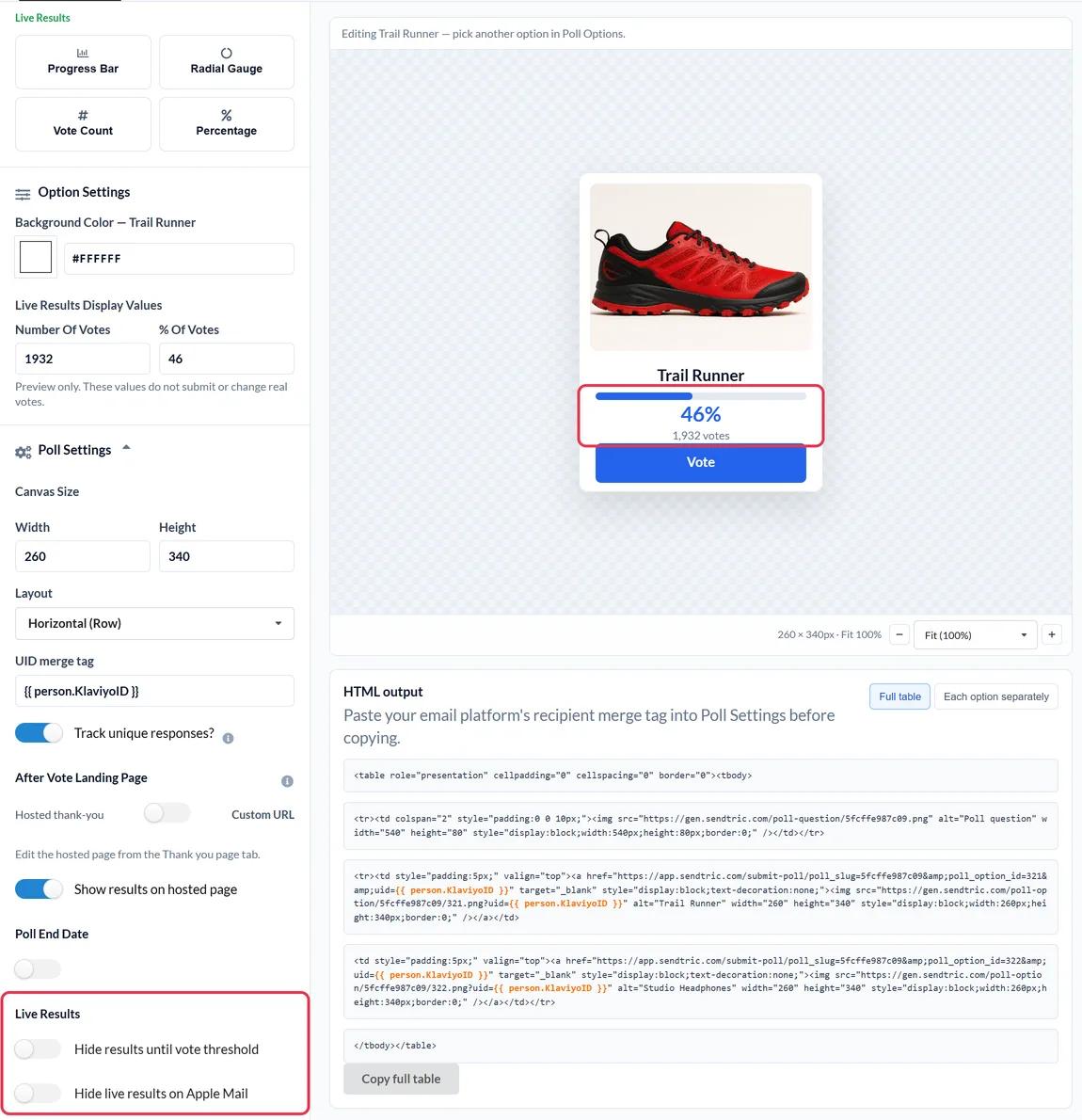
ActiveCampaign's Email Designer doesn't include a poll block. You can tag contacts when they click a link, which is handy for simple one-click surveys. A Sendtric poll adds designed answer images, a hosted thank-you page and live results, and its per-contact export can feed those tags or fields afterwards.
What you can do with a live poll in ActiveCampaign
- Qualify leads inside a nurture automation: ask "What best describes your team?" and use the answers to move contacts to the right follow-up.
- Course and webinar feedback: a star rating at the end of a post-event email, with no form to fill in.
- Content preferences: let subscribers pick the topics they want, then update a custom field so your segments reflect it.
- Customer satisfaction: send an NPS question after onboarding on the Power plan and above, and route detractors to a feedback page with a custom URL per answer.
| Poll feature | Sendtric plan |
|---|---|
| Text polls and Yes / No, up to 2 answers | Free |
| Star ratings, product votes and image answers, up to 5 | Standard |
| Results shown on the hosted thank-you page | Standard |
| NPS 0 to 10, live results in the email, a page per answer, an end date | Power |
How to add a live poll to ActiveCampaign
Step 1: Pick a preset
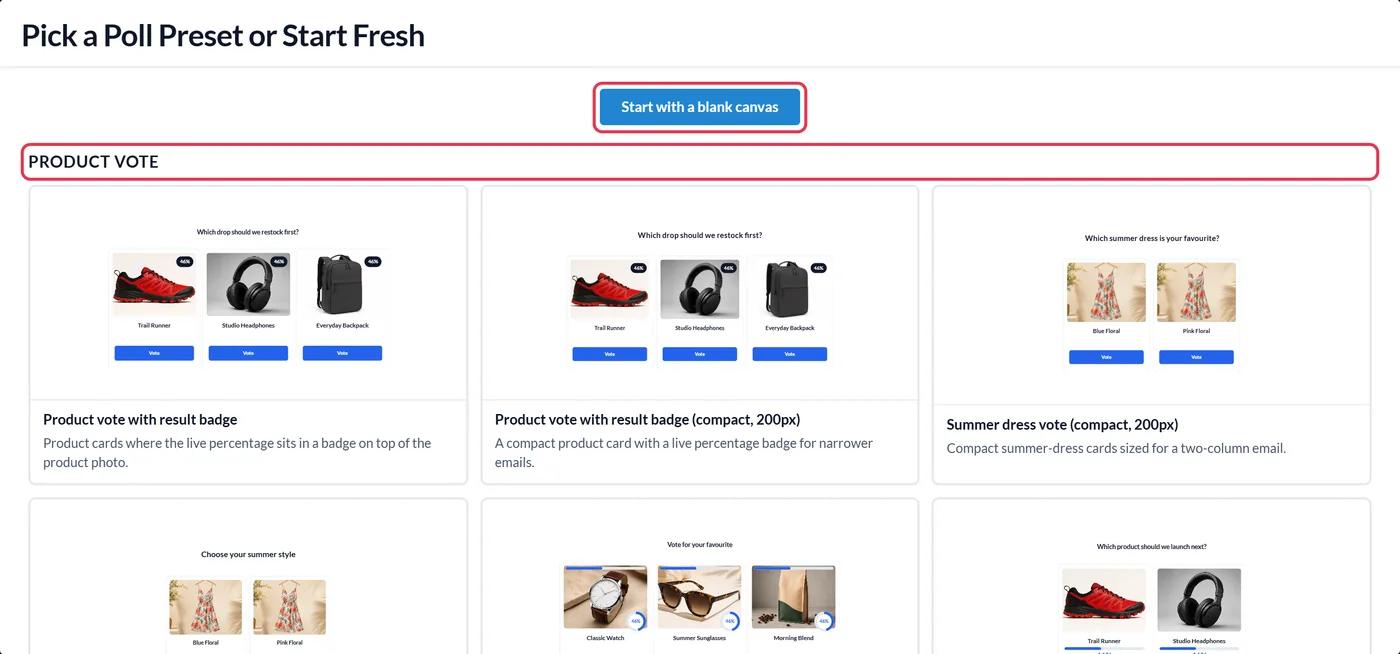
In Sendtric, go to Polls, click Create New and choose a preset, such as a star rating from the FEEDBACK group, or Start with a blank canvas. Write the answers and style them to match your template.
Step 2: Enter %SUBSCRIBERID% as the UID merge tag
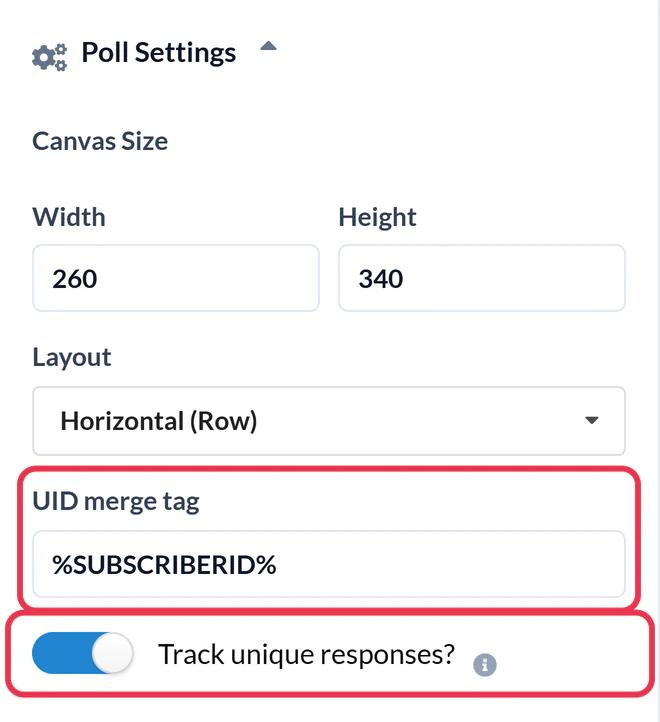
Open Poll Settings and type %SUBSCRIBERID% into UID merge tag. This is ActiveCampaign's contact ID, so each contact gets one vote, and a second click replaces their earlier answer. Turn on Track unique responses? to download each contact's answer later, then click Save.
Step 3: Copy the full table
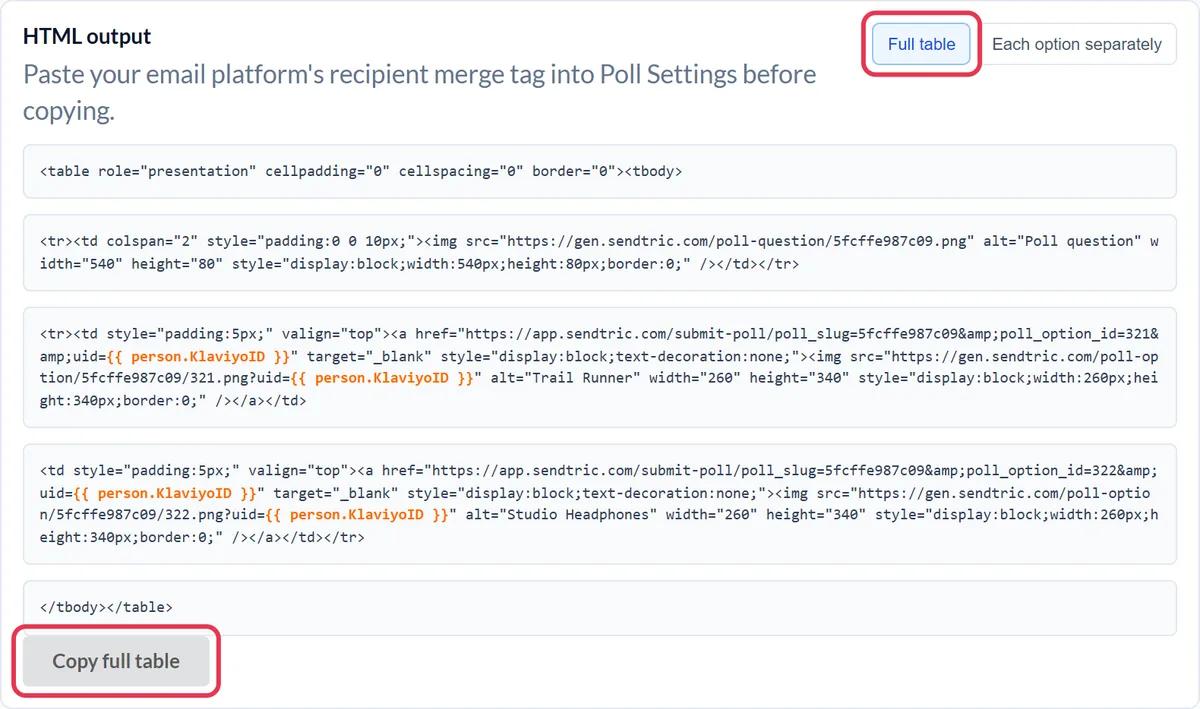
In HTML output, click Copy full table. To place answers in different parts of the email, use Each option separately instead.
Step 4: Paste it into an HTML block
In the ActiveCampaign Email Designer, open Blocks in the Content menu on the right, drag the HTML block into the email and click it. Paste the code into the code editor, then click another block to close it.
Step 5: Test with a test list, not a test email
ActiveCampaign's Send Test emails don't fill in personalization tags, so every test vote would come in under the literal text %SUBSCRIBERID% and overwrite the previous one. Duplicate the campaign and send the copy to a test list with two or three real contacts, then vote from each and check they are counted separately.
Turning answers into ActiveCampaign data
Download the User Unique Poll Results file from the poll report. It lists each contact ID with their answer, which you can match to your contacts and use to set a custom field or apply tags for segmentation.
Don't change answers after sending
Style changes are fine at any time. Deleting answers or switching presets after the email is out stops the links in delivered emails from recording votes.
ActiveCampaign Live Poll FAQ
Which ActiveCampaign tag identifies each voter?
%SUBSCRIBERID%, the contact ID. It is unique per contact and doesn't put the email address in the poll links.
Do polls work in ActiveCampaign automations?
Yes. Automation emails use the same Email Designer and HTML block. With live results on, a contact who reaches the email weeks later sees the current numbers.
Why did all my test votes count as one?
Test emails leave %SUBSCRIBERID% unfilled, so Sendtric sees the same ID each time and keeps only the latest vote. Real sends, including sends to a test list, fill in each contact's ID.
Does voting happen in the inbox?
The question and results are in the email. Clicking an answer opens a browser tab for a moment to record the vote, then shows your thank-you page or the page set for that answer.
How do I see the results?
Open Polls in Sendtric and click the Responses number for a report and downloads. See how to see poll results and download reports.
This guide covers one piece of Sendtric's email personalization platform. For every live polls option and example, see the main page.
More ActiveCampaign guides
- Countdown Timers - How to Add Countdown Timers to ActiveCampaign
- Personalized Images - How to Add Personalized Images to ActiveCampaign
- Rule-Based Images - How to Add Rule-Based Images to ActiveCampaign
- Dynamic Weather - How to Add Dynamic Weather to ActiveCampaign
- Critical Alerts - How to Add Critical Alerts to ActiveCampaign
- Social Proof Counters - How to Add Social Proof Counters to ActiveCampaign
Using a different platform? See all Sendtric integrations.