How to Add Dynamic Weather to ActiveCampaign
Show a live weather forecast in ActiveCampaign campaigns and automations, using a fixed location or custom fields for each contact's city.
 First Publish Date:
Put tomorrow's forecast in an ActiveCampaign email, for wherever each contact lives.
A Sendtric weather widget loads the forecast at the moment the email is opened. It can show one location for everyone, such as an event venue, or read each contact's own city from ActiveCampaign so the forecast is local to them.
ActiveCampaign's standard contact fields don't include a city or postcode, so a per-contact forecast needs custom contact fields. Many accounts already collect a city on signup forms, which is enough.
What you can do with dynamic weather in ActiveCampaign
- Event countdown automations: add the venue forecast to the "see you on Saturday" email so attendees know whether to bring a coat.
- Tours and travel: show the destination forecast in pre-trip emails, with the start date taken from a date field on the contact.
- Local retail and services: let each contact see their own forecast next to a weather-matched offer.
- Outdoor classes and clubs: remind members what conditions to expect before a session.
A fixed-location, full-week forecast works on the Free plan. Location from a contact's city needs Micro, postcode locations and dates from a field need Standard, and a forecast that always starts on the day of opening needs Power.
How to add dynamic weather to ActiveCampaign
Step 1: Set up the contact fields
Skip this for a fixed location. For a local forecast, make sure your contacts have a City field and a Country Code field holding a two-letter code such as US or FR. A postcode field works instead of the city on the Standard plan and above.
Step 2: Create the weather widget
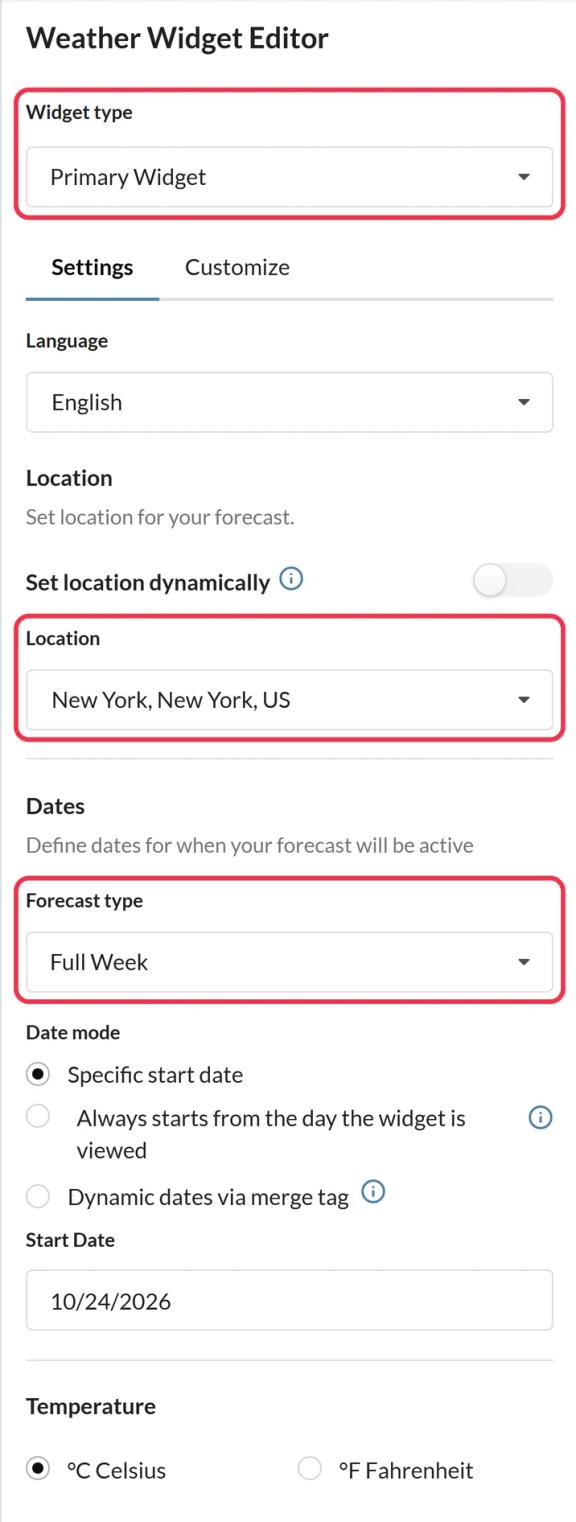
In Sendtric, open Weather widget, click Create New and choose Primary Widget or Inline Widget. Turn on Set location dynamically and pick the Location format that matches your fields. Choose what happens when a location can't be found: hide the widget, or show a Fallback image. Then Save.
Step 3: Copy the code and insert your tags
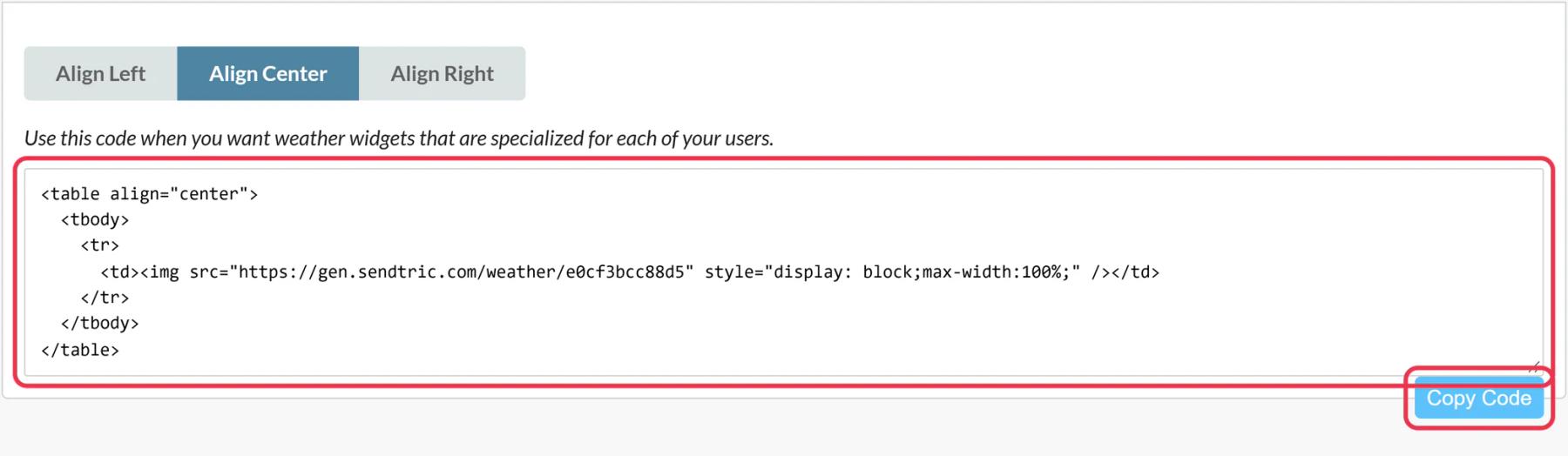
Click Copy Code. Replace the city,countryCode placeholder with your ActiveCampaign tags, for example location=%CITY%,%COUNTRY_CODE%. The exact tags depend on your field names, so check them under Personalization Tags in the Email Designer.
Step 4: Add it with an HTML block
In the Email Designer, drag the HTML block from Blocks to where the forecast should appear, click it and paste the code.
Step 5: Preview as contacts in different places
Plain test emails won't fill in the city tags. Use Desktop Preview from Test and preview on the Campaign Summary page with two contacts from different cities, or send to a test list, and check each forecast.
Capture the city on your forms
If you don't have location data yet, add your City and Country Code fields to your ActiveCampaign signup form. New contacts will have what the widget needs from day one.
Plan sends within 10 days of the date
Forecasts reach about 10 days ahead. If you pass a date from a field, send the email close enough to it, or contacts get the fallback.
ActiveCampaign Weather Widget FAQ
Can the widget work out where a contact is without a field?
No. Sendtric never guesses location from an IP address. It uses the fixed place you set or the city and country your ActiveCampaign fields supply.
What if the country field contains full names?
Sendtric needs two-letter ISO codes. Add a separate field with the code, or tidy the existing values, before using it in the widget.
Does the forecast stay current for late openers?
Yes. It is fetched on open and each version is cached for up to an hour, so someone opening days later sees a fresh forecast.
Can I show Fahrenheit for US contacts and Celsius for others?
Units are set per widget. Make two widgets and show each to the right contacts, for example with ActiveCampaign conditional content or a rule-based image.
Where can I read more about local forecasts?
Want to see what else you can do? Explore Sendtric's dynamic weather in more detail, or browse the full email personalization toolkit.
More ActiveCampaign guides
- Countdown Timers - How to Add Countdown Timers to ActiveCampaign
- Live Polls - How to Add Live Polls to ActiveCampaign
- Personalized Images - How to Add Personalized Images to ActiveCampaign
- Rule-Based Images - How to Add Rule-Based Images to ActiveCampaign
- Critical Alerts - How to Add Critical Alerts to ActiveCampaign
- Social Proof Counters - How to Add Social Proof Counters to ActiveCampaign
Using a different platform? See all Sendtric integrations.