How to Add Dynamic Weather to GetResponse
Show a live weather forecast in GetResponse newsletters and automation messages, for a fixed place or per contact using custom fields or GetResponse's geo merge words.
 First Publish Date:
Give each GetResponse message a forecast that's current when it's read.
The Sendtric weather widget is a forecast image that updates on every open. Use one location for everyone, such as an outdoor event, or fill the location per contact from GetResponse data.
GetResponse has geo-location merge words, such as [[geo postal]] and [[geo country code]], filled in from the contact's IP address. GetResponse notes that this data may not always be accurate, so a postcode or city you collect yourself in a custom field is the more reliable source.
What you can do with dynamic weather in GetResponse
- Outdoor events and workshops: the forecast for the venue in your reminder sequence.
- Local promotions: pair the forecast with a matching offer, like umbrellas on a rainy week.
- Travel and hospitality: the destination forecast in the message that goes out before a stay.
- Sports and fitness: a weather heads-up before an outdoor class, race or training day.
| Weather option | Sendtric plan |
|---|---|
| Fixed location, full-week forecast | All plans |
| Location by city, 1, 3 or 5 day forecasts, fallback image | Micro and above |
| Location by postcode, forecast date from a merge word | Standard and above |
| Forecast starts on the day the message is opened | Power and above |
How to add dynamic weather to GetResponse
Step 1: Create the widget
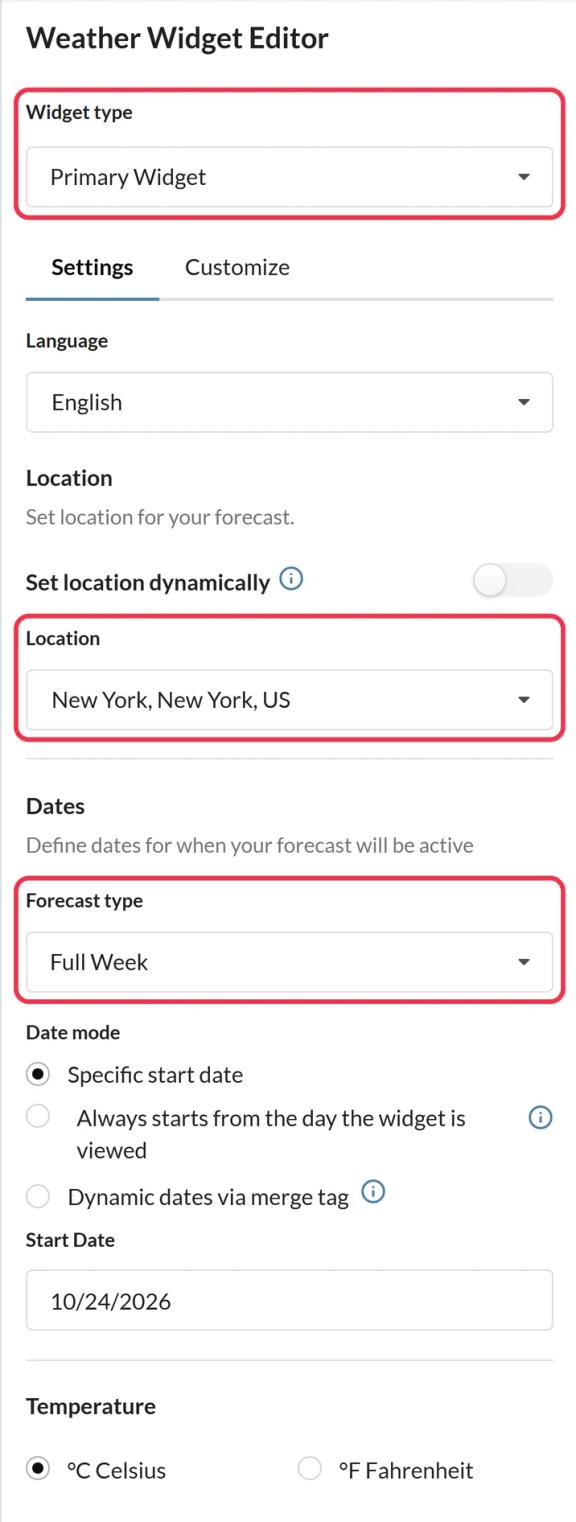
In Sendtric, open Weather widget and click Create New. Pick Primary Widget or Inline Widget, the number of days and the temperature unit, then the colors and size under Customize.
Step 2: Set the location
Type a place into Location for a fixed forecast. For a forecast per contact, turn on Set location dynamically and pick either city with country code or postcode with country code.
Step 3: Choose a fallback
Decide what contacts see if their location can't be found: nothing, or a fallback image you upload. This covers empty fields and locations the weather service doesn't recognize.
Step 4: Copy the code and add GetResponse merge words
Save and copy the code. Replace the location placeholder in the image address with your GetResponse fields. With custom fields called city and country_code, or with the postcode from GetResponse's geo merge words, it looks like this:
location=[[city]],[[country_code]]
location=[[geo postal]],[[geo country code]]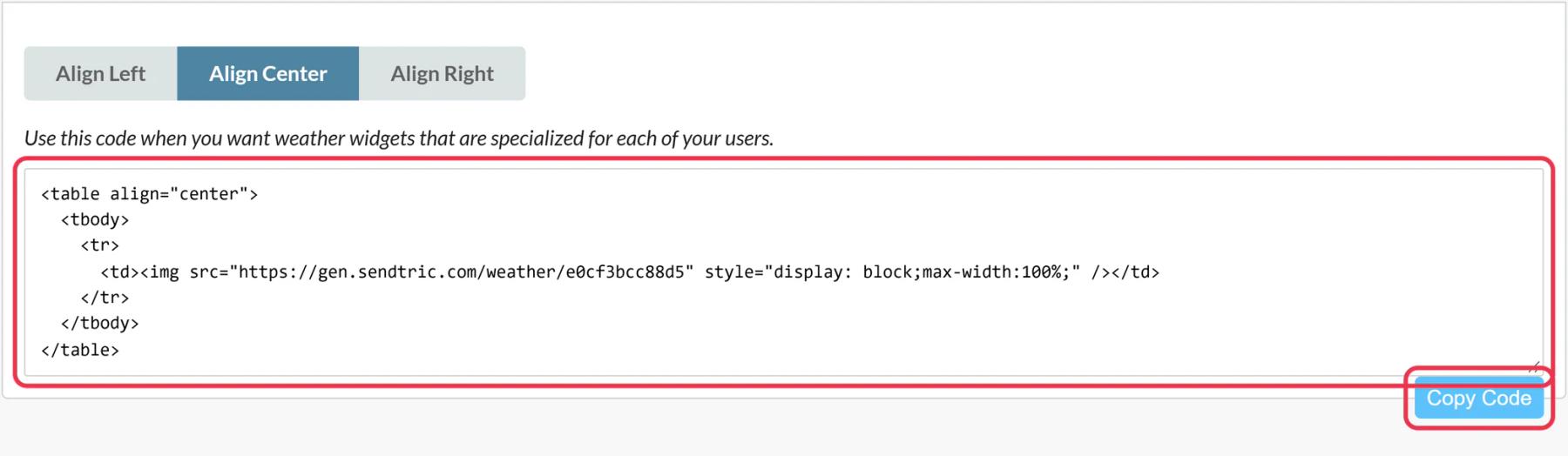
Step 5: Paste into Custom HTML and preview
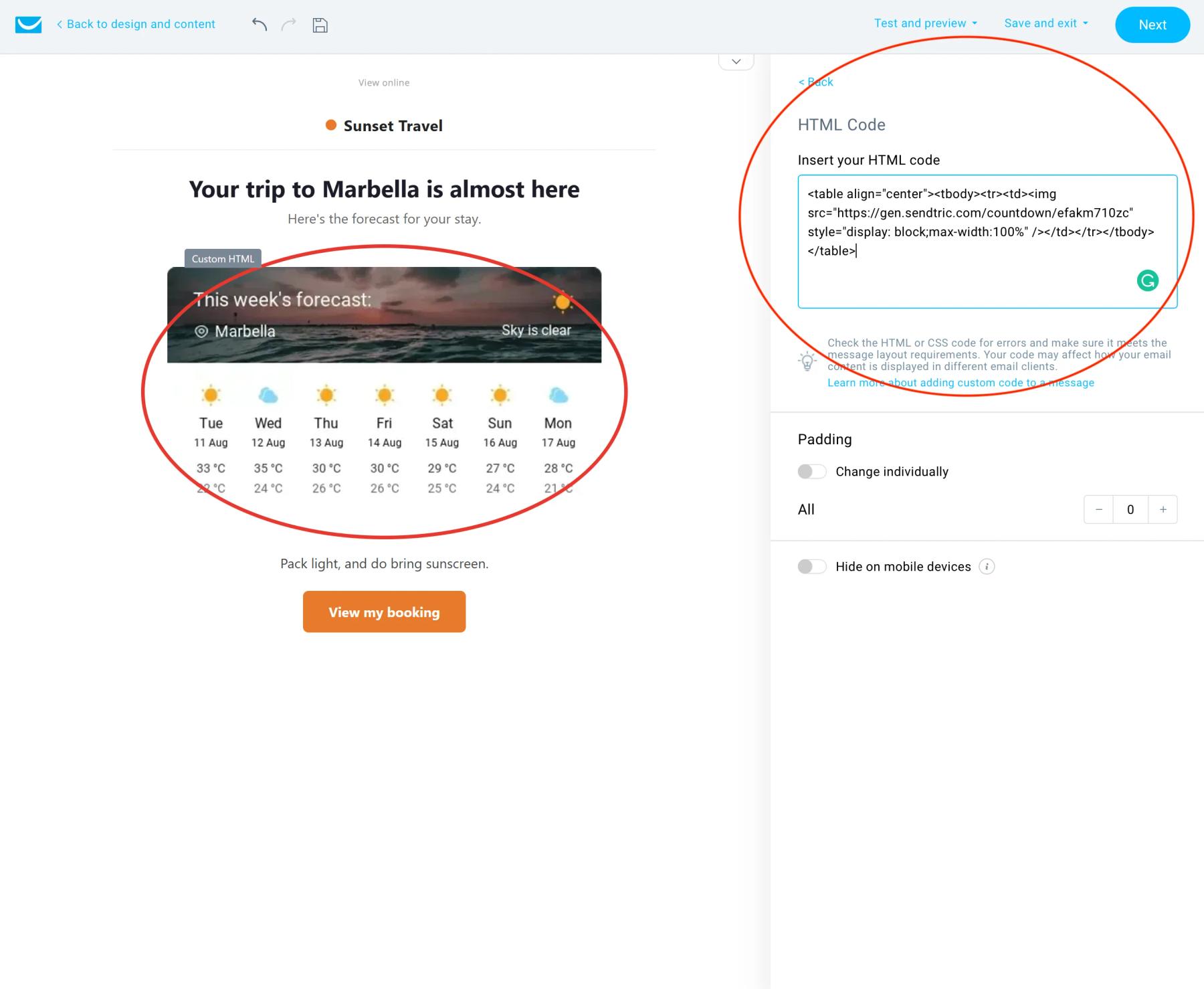
In the message editor, open Layout > Basic blocks, drag Custom HTML into the message and paste the code in the right-hand panel. Use Preview, then a real send to a small list, because GetResponse test messages don't fill in merge words.
Country codes, not country names
The widget needs a two-letter country code such as US, DE or GB. If your custom field stores full country names, add a separate field with the code, or use the postcode format with [[geo country code]].
Merge word format in the current editor
The examples above use GetResponse's square-bracket merge words. Its help center also documents a newer format for the current message editor, for example the line below. Use whichever one fills in correctly in your Preview.
location={{CUSTOM `city`}},{{CUSTOM `country_code`}}GetResponse Weather Widget FAQ
Does Sendtric detect where the reader is?
No. Sendtric never uses the reader's IP address. The location comes only from what's in the code, which can be a fixed place, your custom fields or GetResponse's own geo merge words.
How accurate are GetResponse's geo merge words?
GetResponse fills them from the contact's IP address and says they may not always be accurate. For anything that matters, like an event location, use a fixed location or data you collected.
How far ahead can the forecast go?
About ten days. Dates further out than that show a dash or trigger your fallback, depending on your settings.
Is the forecast updated after sending?
Yes. It's fetched when the message is opened and cached for up to an hour, so it reflects the latest forecast at that time.
Can I change the design later?
Yes. Save changes in Sendtric and messages already sent show the new design on the next open.
Ready for more? The dynamic weather overview covers every setting, and the email personalization page shows how to combine it with other Sendtric widgets.
More GetResponse guides
- Countdown Timers - How to Add Countdown Timers to GetResponse
- Live Polls - How to Add Live Polls to GetResponse
- Personalized Images - How to Add Personalized Images to GetResponse
- Rule-Based Images - How to Add Rule-Based Images to GetResponse
- Critical Alerts - How to Add Critical Alerts to GetResponse
- Social Proof Counters - How to Add Social Proof Counters to GetResponse
Using a different platform? See all Sendtric integrations.