How to Add Live Polls to Braze
Ask Braze users a question in the email, count one vote per user with {{${user_id}}}, and show live results on every open.
 First Publish Date:
Turn a Braze email into a one-click vote with results you can design yourself.
A Sendtric live poll is a table of answer images that you paste into a Braze email. Users vote with one click, and the answers can show live percentages, counts or bars that update on every open.
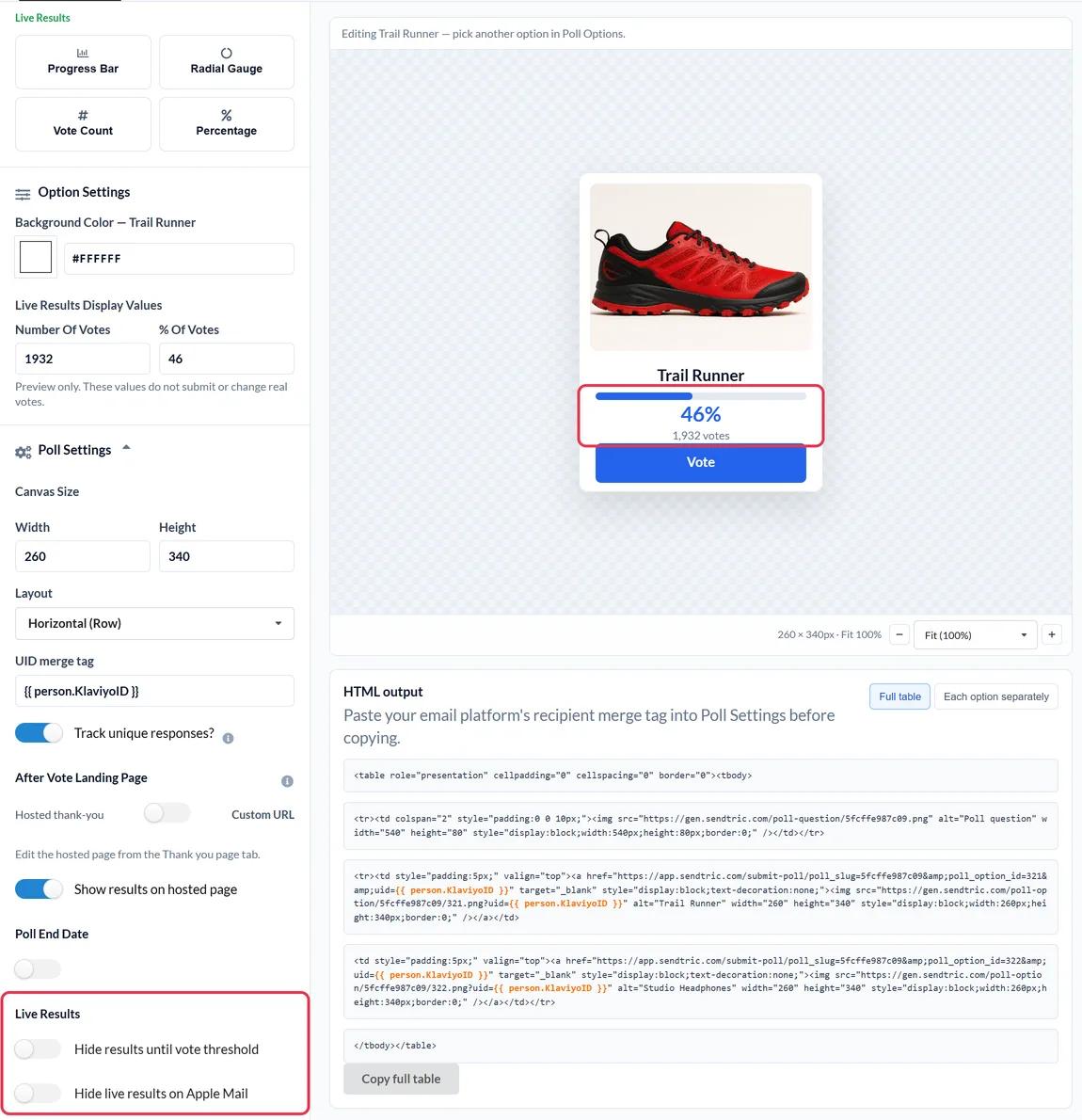
Braze's drag-and-drop editor has its own NPS survey block. A Sendtric poll covers other kinds of questions: product votes with your own images, star ratings, yes or no questions, and results that show inside the email. Clicking an answer briefly opens a browser tab to record the vote, then shows a thank-you page or your own page.
What you can do with a live poll in Braze
- Feature or product votes: let users choose what you build or stock next, with an image per option.
- In-journey feedback: a star rating in a Canvas step after onboarding or delivery.
- Preference capture: ask about interests, export answers by user ID and bring them back into Braze as a custom attribute.
- Route by answer: on Power and above, send each answer to its own page, like a help article for low scores.
| Poll feature | Sendtric plan |
|---|---|
| Up to 2 answers, text presets | Free |
| Up to 3 answers, full font library | Micro |
| Up to 5 answers, image presets, results on the thank-you page | Standard |
| Up to 11 answers, NPS, live results, page per answer | Power and Enterprise |
How to add a live poll to Braze
Step 1: Create the poll
In Sendtric, go to Polls and click Create New. Choose a preset or a blank canvas and set up your answers.
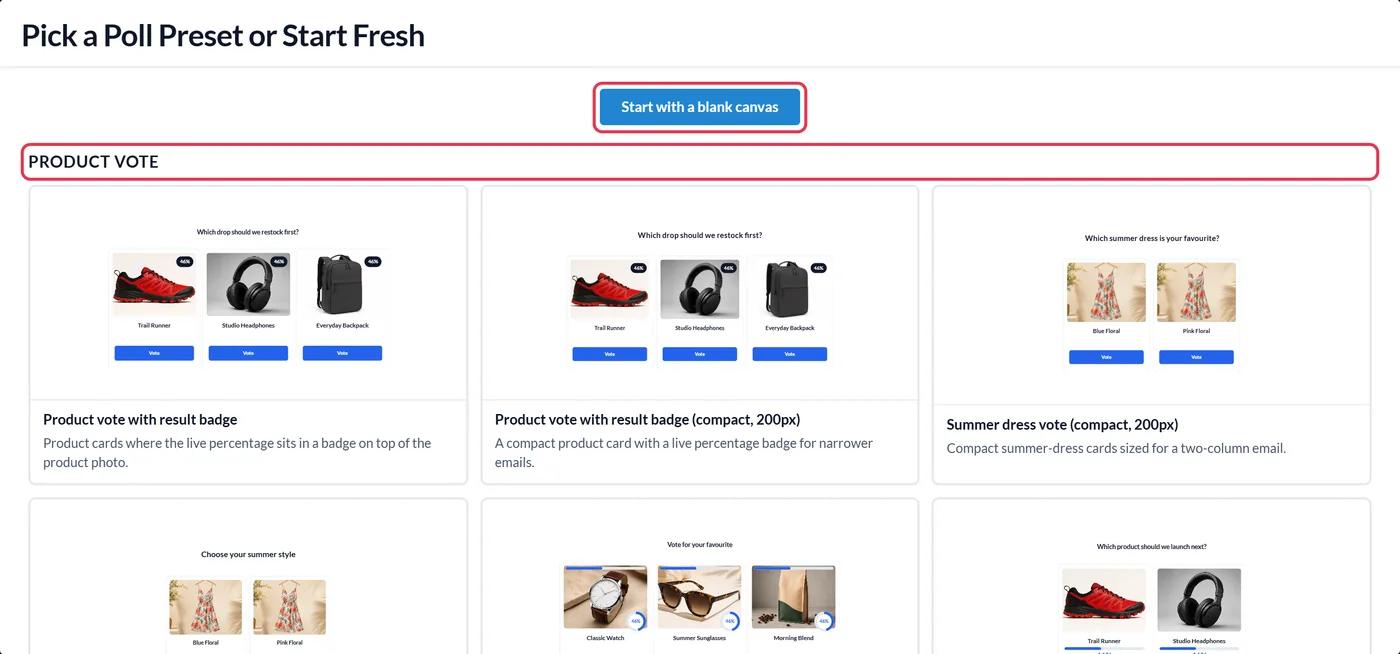
Step 2: Enter the Braze user ID tag
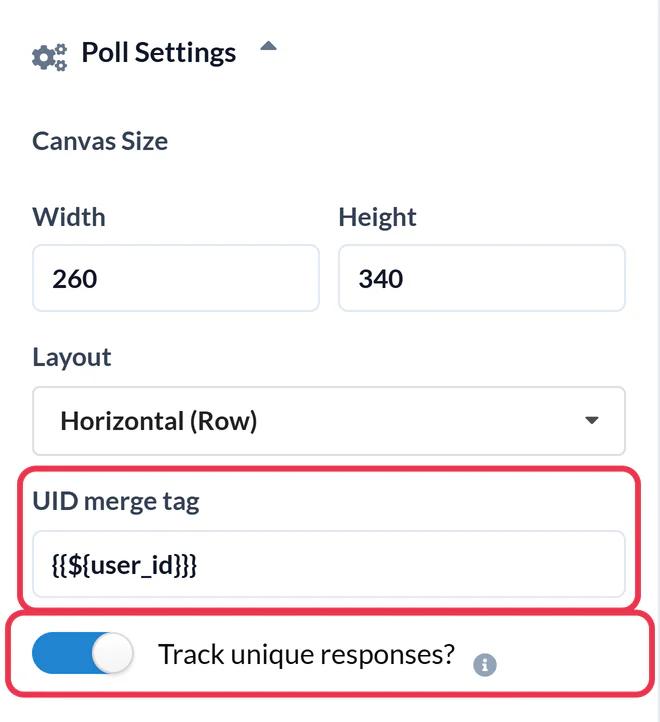
In Poll Settings, type {{${user_id}}} in the UID merge tag field. Braze fills it in for each user, so Sendtric can keep one vote per person. Switch on Track unique responses? if you want a per-user download, and click Save.
Step 3: Copy the poll code
Under the canvas, in HTML output, click Copy full table, or switch to Each option separately to place the answers one by one.
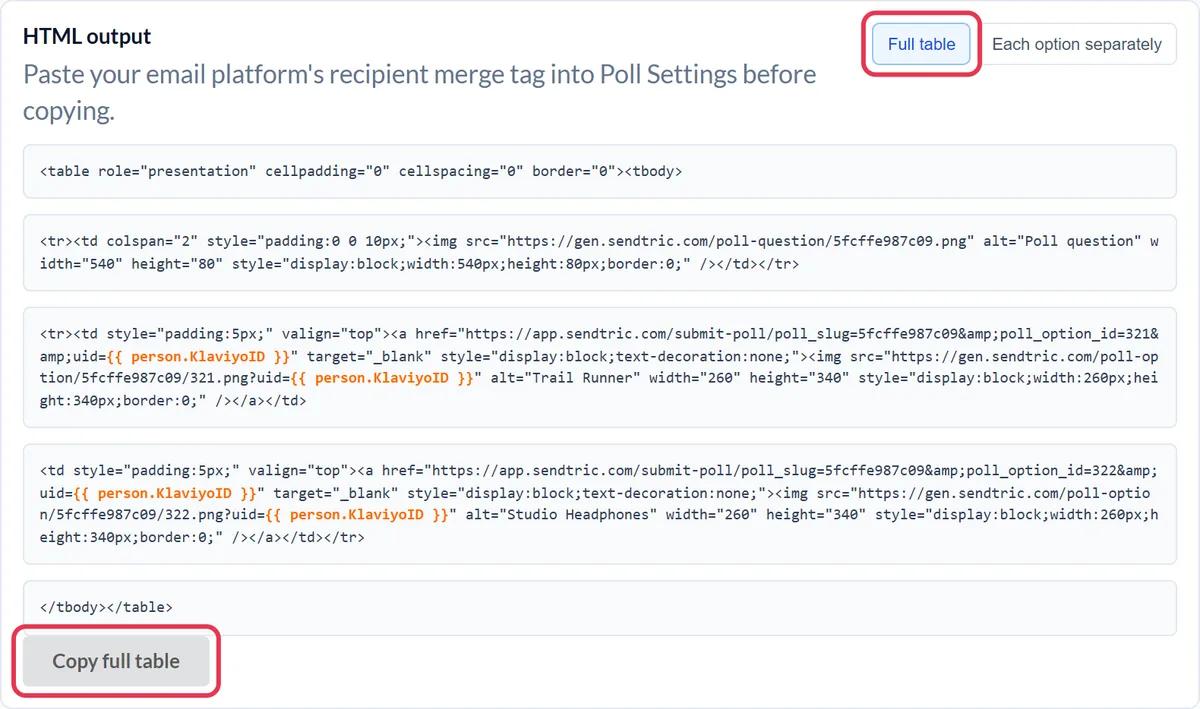
Step 4: Paste it into an HTML block
In your Braze email, select Edit Email Body, drag the HTML block from the Content panel into place and paste the code. The Liquid tag in the code only works in an HTML block, not in an Image or Button block.
Step 5: Preview as a user and test
In Preview & Test, preview as a specific user and check the poll links contain their ID rather than the raw tag. Then send a test and vote.
Users without a user ID
If some users don't have a user ID, their votes would share an empty ID and overwrite each other. In that case use {{${email_address}}} as the UID tag instead.
Results back in Braze
The per-user download lists the UID and the answer. Because the UID is the Braze user ID, you can import it straight back as a custom attribute and segment on it.
Braze Live Poll FAQ
Can I use a Sendtric poll in a Canvas?
Yes. It is plain HTML, so it works in Canvas email steps and in campaigns.
How is this different from Braze's NPS survey block?
Braze's block is for NPS. A Sendtric poll can be a product vote, rating, yes or no, or a custom design, and can show live results in the email.
Does a user who votes twice count twice?
No. Votes are matched by the UID, so a second vote replaces the first.
How quickly do results update?
Usually within about a minute. Some email apps cache images longer, so a reopen may show slightly older numbers.
Can I change the poll after sending?
You can restyle it, but don't delete answers or switch presets after sending. Links in sent emails would stop recording votes.
This guide covers one piece of Sendtric's email personalization platform. For every live polls option and example, see the main page.
More Braze guides
- Countdown Timers - How to Add Countdown Timers to Braze
- Personalized Images - How to Add Personalized Images to Braze
- Rule-Based Images - How to Add Rule-Based Images to Braze
- Dynamic Weather - How to Add Dynamic Weather to Braze
- Critical Alerts - How to Add Critical Alerts to Braze
- Social Proof Counters - How to Add Social Proof Counters to Braze
Using a different platform? See all Sendtric integrations.