
Collect NPS & Customer Satisfaction Feedback in Post-Purchase Emails
Ask "How likely are you to recommend us?" right inside the order email, and let customers answer with one click.
Feedback Without the Survey Link
Most satisfaction surveys ask customers to click through to a separate form, and many never do. Putting the question inside the email removes that step: the customer taps a score and they are done.
Sendtric's polls for emails support NPS (0 to 10) and rating scales (1 to 5), so you can ask the question your team already tracks, right where your customers are reading.
More than 200,000 companies trust Sendtric




















Example: An NPS Question in the Order Confirmation
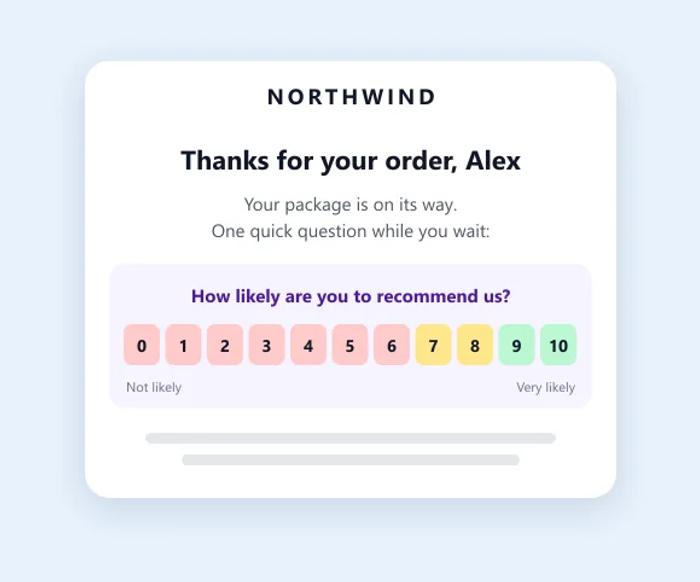
Here is how an online store could add an NPS poll to its post-purchase email:
- The question sits below the order summary: "How likely are you to recommend us?"
- Scores 0 to 6 redirect to a short form asking what went wrong.
- Scores 9 and 10 redirect to your review page, while customers are happy.
- Unique ID tracking links each answer to the customer, so you can follow up with detractors.
NPS and CSAT in Email: What Works
- Match the question to the moment. The order confirmation is a good time to rate the buying experience. Ask about the product itself once it has been delivered, and ask NPS ("How likely are you to recommend us?") about the relationship, not a single order.
- Keep it to one question. Readers answer right inside the email with a single click, which makes responding effortless and lifts engagement. Ask any follow-up questions on the page each score leads to.
- Route each score differently. Send promoters (9 and 10) to leave a review while they are happy, passives (7 and 8) to a short "what would make it a 10?" question, and detractors (0 to 6) to a form your support team sees.
- Tie answers to customers. With unique ID tracking, each score is matched to a subscriber, so you can follow up with unhappy customers personally.
- Watch the trend, not one send. Download the results after each campaign and compare scores over time and by customer group.
How to Add an NPS Poll to Your Post-Purchase Email
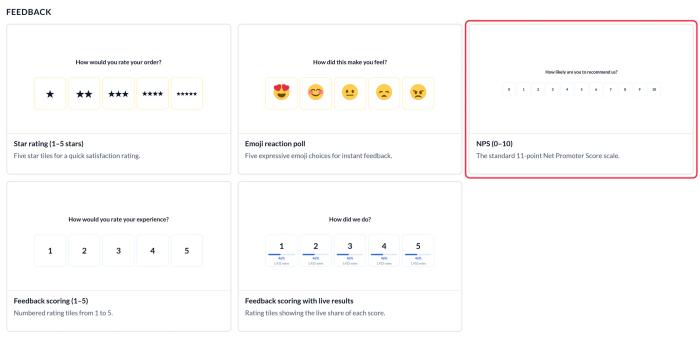
- Create a poll from the NPS (0–10) preset, or a 1 to 5 rating preset for CSAT.
- Set a redirect for each score and turn on unique ID tracking.
- Copy the code into your post-purchase email.
For step-by-step instructions, see how to create an email poll, how to redirect users after they vote and how to see poll results.
More Ways to Use Email Polls
Polls also work for product research, like letting subscribers vote on your next product. For ideas on turning feedback into improvements, read using email polls for feedback, or see every poll type on the Polls for Emails page.
Explore Email PollsWhy clients LOVE Sendtric...
“We couldn't be happier with Sendtric. It allows us to add value to our customers and see the NPS go up. The countdown feature has been an invaluable tool to drive revenue for our customers. It adds a touch of personalized dynamism and urgency to our users' campaigns, effectively motivating their customers to act promptly.”
Founder of WoowUp
“At Splio, we are thrilled to share how Sendtric has transformed customer engagement through its exceptional countdown feature. This powerful tool allows us to personalize our customers' campaigns and instill a sense of excitement and urgency, driving the end-customers to take immediate action. With Sendtric, we have elevated our customer satisfaction. It's very quick & simple to install together with Beefree, allowing us to generate instant value.”
VP of Product at Splio