How to Add Critical Alerts to Manago AI
Place a Sendtric critical alert in your Manago AI emails and turn it on or off after they've been delivered, by hand or on a schedule. Enterprise plans only.
 First Publish Date:
Change what your sent Manago AI emails say, without sending another one.
A Sendtric critical alert is a banner that stays invisible until you switch it on. Put it in a Manago AI email today, and if something changes next week, like a shipping delay or a cancelled event, you turn it on and everyone who opens the email from then on sees the message.
Critical alerts are available on Sendtric Enterprise plans only. On other plans the Create New button is disabled.
What you can do with critical alerts in Manago AI
- Sell-out notices: a popular product sells out after the campaign goes out. Switch on "More stock arriving in 4 days" and switch it off once it's back.
- Delivery delays: add an alert to order and shipping Workflow emails and turn it on during a carrier strike or bad weather.
- Event changes: a venue change, a new start time or a postponement, shown in every reminder email that's already in inboxes.
- Planned maintenance: schedule a "Store checkout offline Sunday 2 to 4 am" banner to appear only during that window.
How to add a critical alert to Manago AI
Step 1: Design the alert
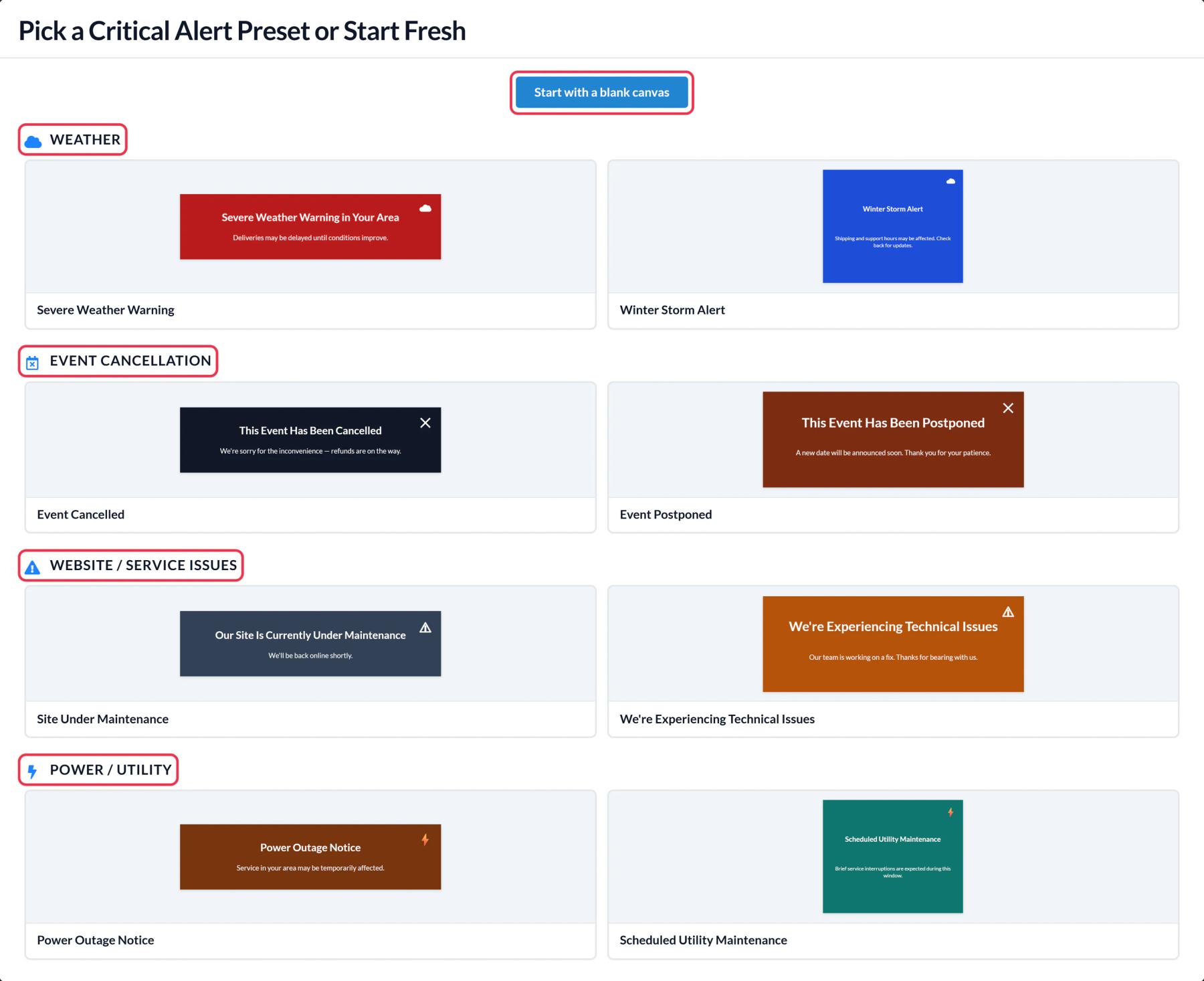
In Sendtric, go to Critical alerts, click Create New and pick a preset or a blank canvas. Edit the text and colors so the banner matches your Manago AI template. You can add text, images, weather or a contact's first name with $name.p1$ as a dynamic text layer.
Step 2: Choose when it's on
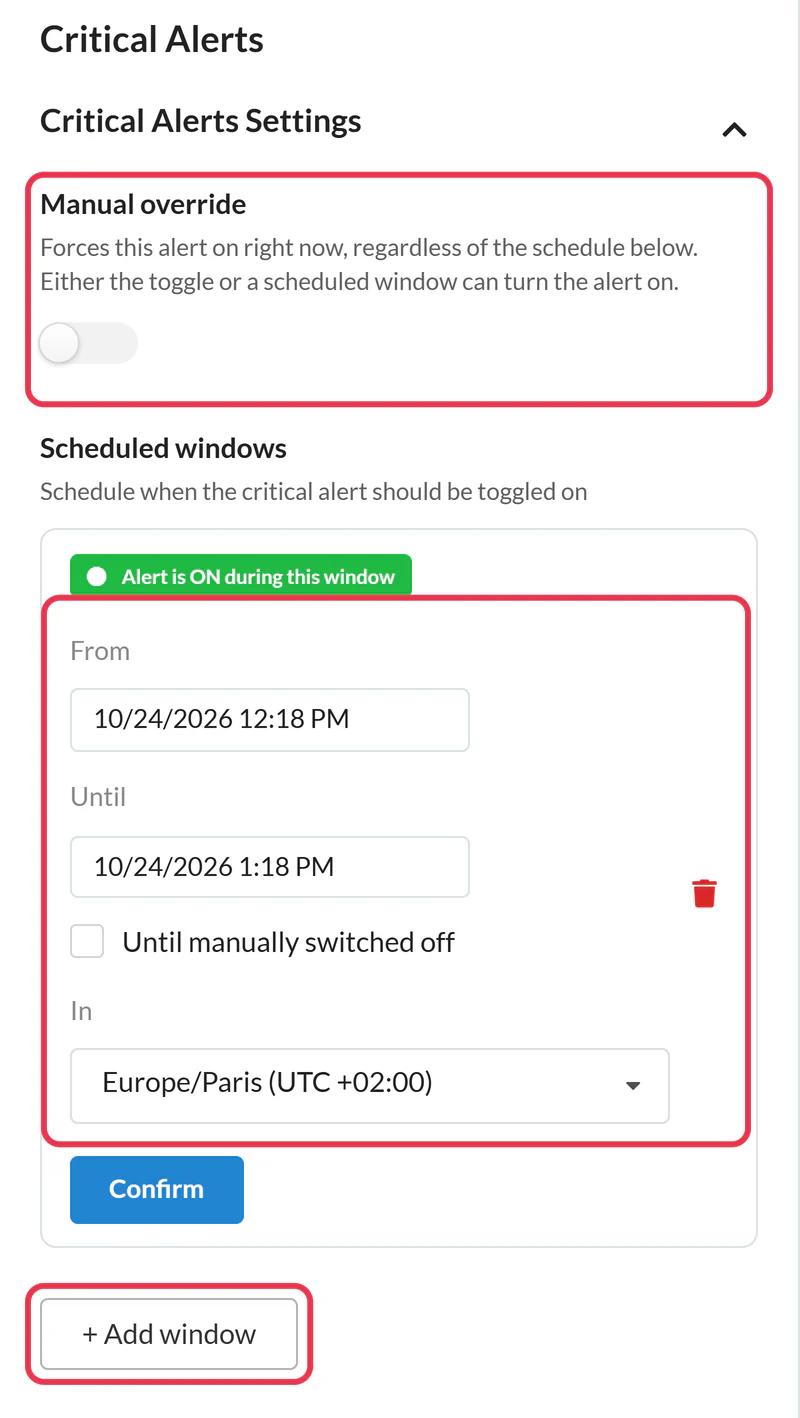
Leave Manual override off if the alert should stay hidden for now. Or click + Add window to set a From and Until time in your time zone (up to 5 windows). The alert shows whenever the manual override is on or the current time is inside a window.
Step 3: Copy the code
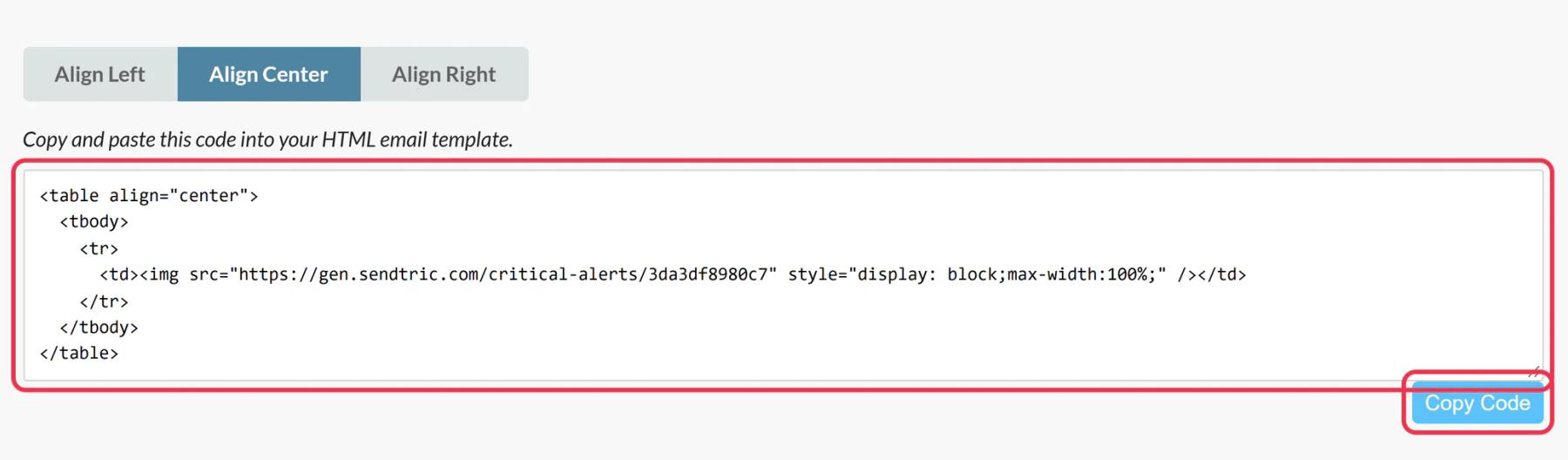
Click Save, choose an alignment and click Copy Code. The code never changes, so you can reuse it in every email the alert belongs in.
Step 4: Paste it into Email Design Studio
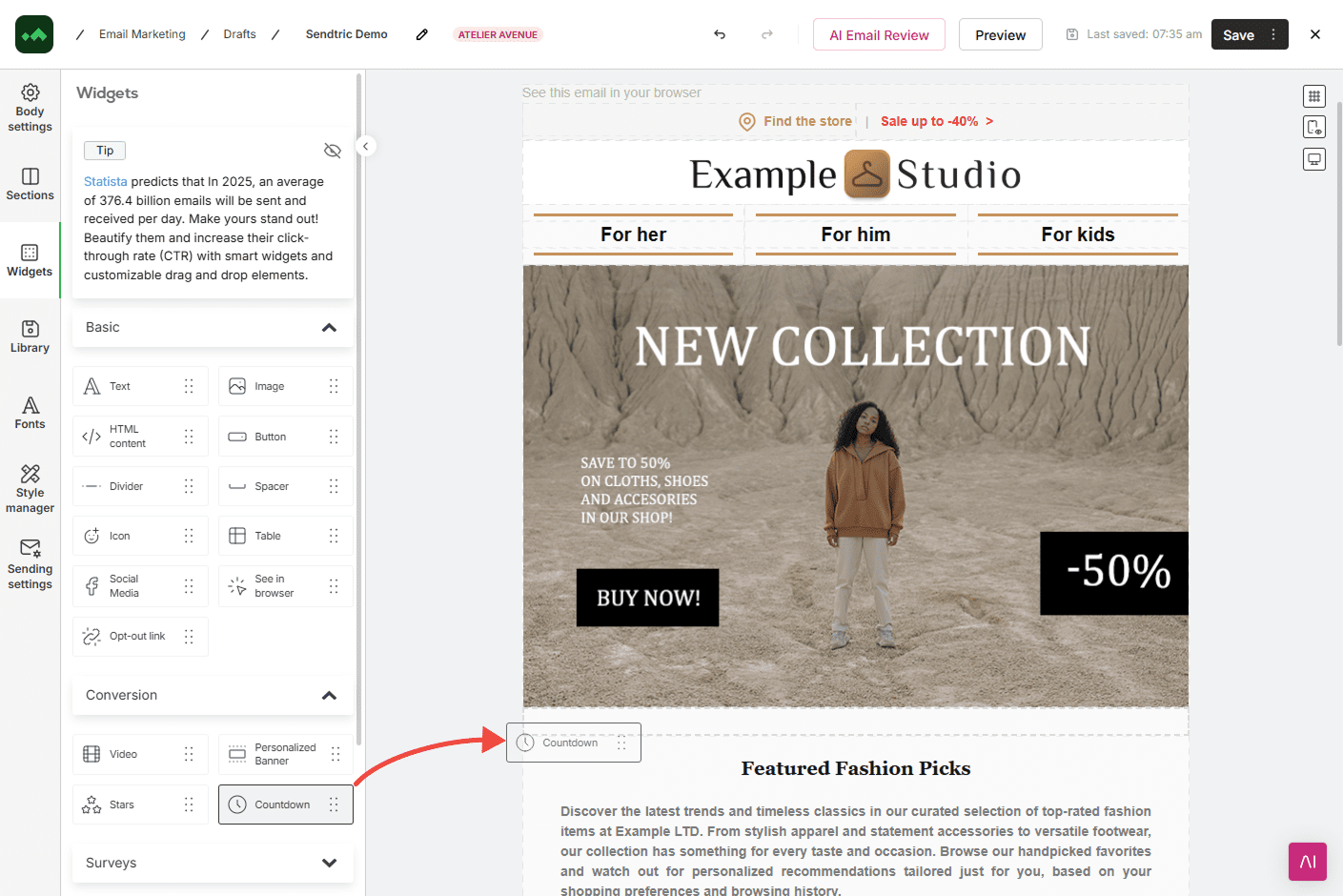
Drag an HTML content widget from Widgets > Basic to the top of your email, just under the header, where an alert will be noticed. Open its settings, click the placeholder code in Content and paste.
Step 5: Test both states
Send a test with the alert off: nothing should show. Turn the manual override on, reopen the test email and the banner should appear. Then switch it back off before the real send if it isn't needed yet.
Add it to your Workflow templates once
Alerts are most useful in emails that keep sending, like order confirmations and shipping updates in Manago AI Workflows. Add the alert to those templates now while it's off, and it's ready the day you need it.
Reopens and image caching
The alert is checked each time the email image loads. Some email apps keep their own copy of images, so a contact reopening an email may not always see a change straight away. How to turn a critical alert on or off covers the switch and schedule in detail.
Manago AI Critical Alerts FAQ
Which Sendtric plan do I need?
An Enterprise plan. Critical alerts aren't available on Free, Micro, Standard or Power. See pricing or talk to us about Enterprise.
What do contacts see while the alert is off?
Nothing. Sendtric serves an invisible 1x1 image, so the email looks as if the alert isn't there.
Do views count while the alert is off?
No. Views only count while the alert is on.
Can I edit the message after it's switched on?
Yes. Edit and save the alert in Sendtric and the new wording shows on the next open, in every email that contains it.
Do I need to change anything in Manago AI to switch the alert on?
No. Once the code is in the email, everything happens in Sendtric: the manual override, the schedule and the design.
Ready for more? The critical alerts overview covers every setting, and the email personalization page shows how to combine it with other Sendtric widgets.
More Manago AI guides
- Countdown Timers - How to Add Countdown Timers to Manago AI
- Live Polls - How to Add Live Polls to Manago AI
- Personalized Images - How to Add Personalized Images to Manago AI
- Rule-Based Images - How to Add Rule-Based Images to Manago AI
- Dynamic Weather - How to Add Dynamic Weather to Manago AI
- Social Proof Counters - How to Add Social Proof Counters to Manago AI
Using a different platform? See all Sendtric integrations.