How to Add Dynamic Weather to Manago AI
Add a live weather forecast to Manago AI emails that updates on every open, either for an event location or for each contact's city using the $city$ placeholder.
 First Publish Date:
Show your Manago AI contacts the forecast for the place that matters to them.
A Sendtric weather widget is a forecast image that's generated when the email is opened, not when it's sent. Someone who opens your Thursday newsletter on Saturday sees Saturday's forecast.
There's no weather widget among Email Design Studio's widgets, so the forecast goes in through an HTML content widget. You can show one fixed place, like your festival site, or each contact's own city using Manago AI's $city$ placeholder.
What you can do with dynamic weather in Manago AI
- Weather-matched product picks: pair the local forecast with rain jackets, sunscreen or garden furniture in a fashion or home store newsletter.
- Event reminders: show the forecast for an outdoor concert or race day so attendees know what to bring.
- Travel and hotel emails: a 5-day forecast for the destination in a pre-arrival email.
- Store visit nudges: "Sunny all weekend in Gdańsk" next to a store opening times block.
| Weather feature | Plan |
|---|---|
| Fixed location, full week forecast | All plans, including Free |
| 1, 3 or 5-day forecasts and the accent header | Micro and above |
| Location from a city placeholder | Micro and above |
| Location from a postcode, dates from a merge tag | Standard and above |
| Forecast always starts on the day the email is opened | Power and above |
How to add a weather widget to Manago AI
Step 1: Create the weather widget
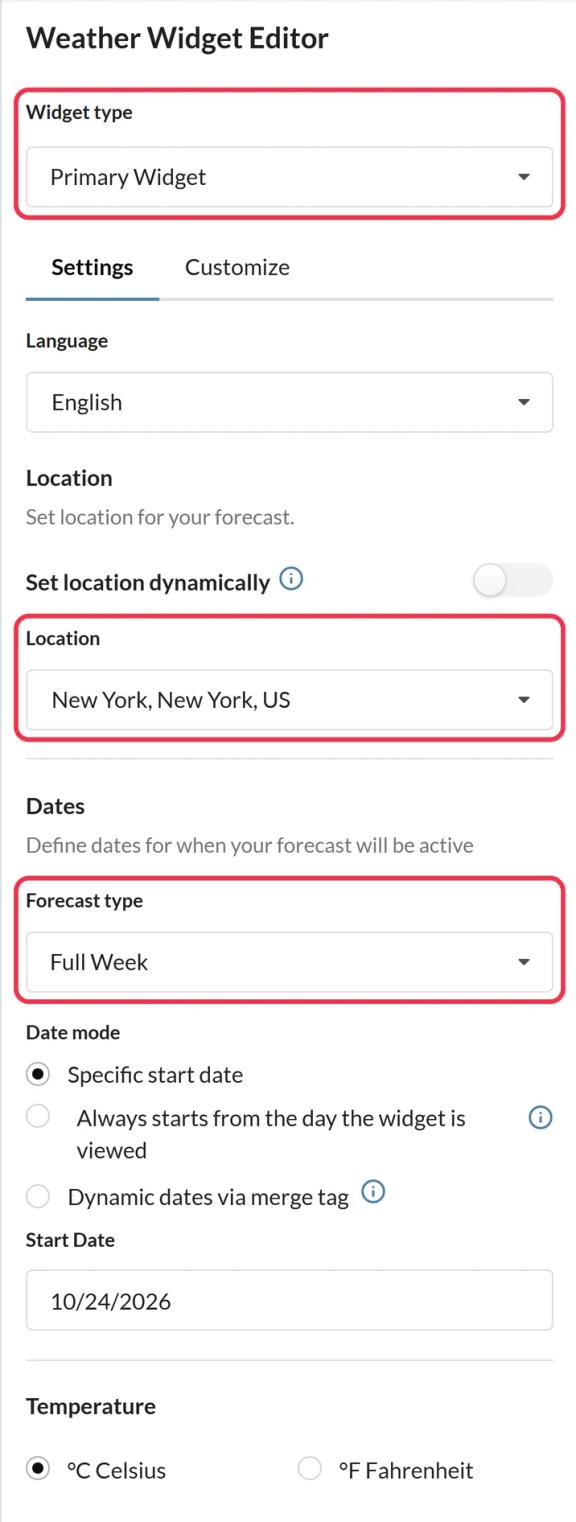
In Sendtric, go to Weather widget and click Create New. Choose Primary Widget for a forecast card or Inline Widget for a slim strip, then pick the language, °C or °F and how many days to show.
Step 2: Set the location
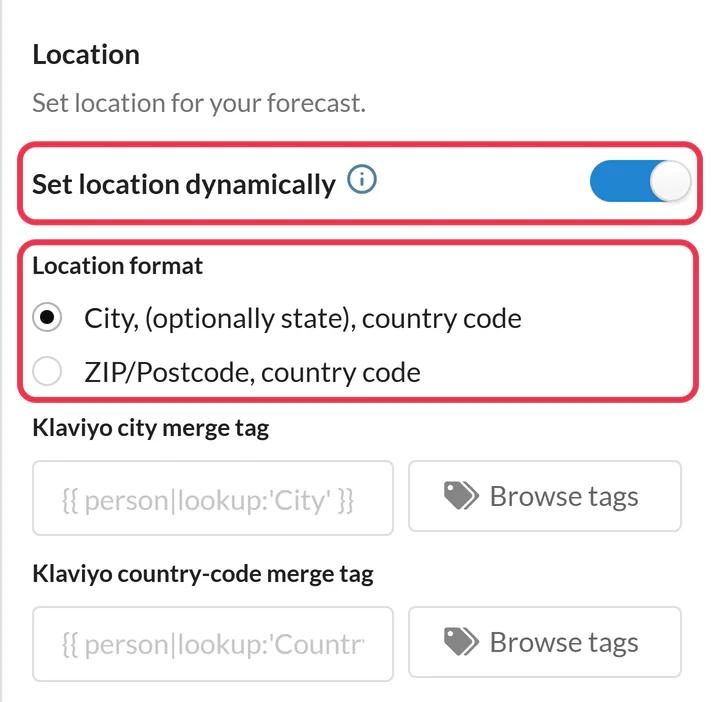
For one place, search for it under Location. For each contact's city, turn on Set location dynamically and choose the city format. The location must be a city followed by a two-letter country code, for example Warsaw,PL.
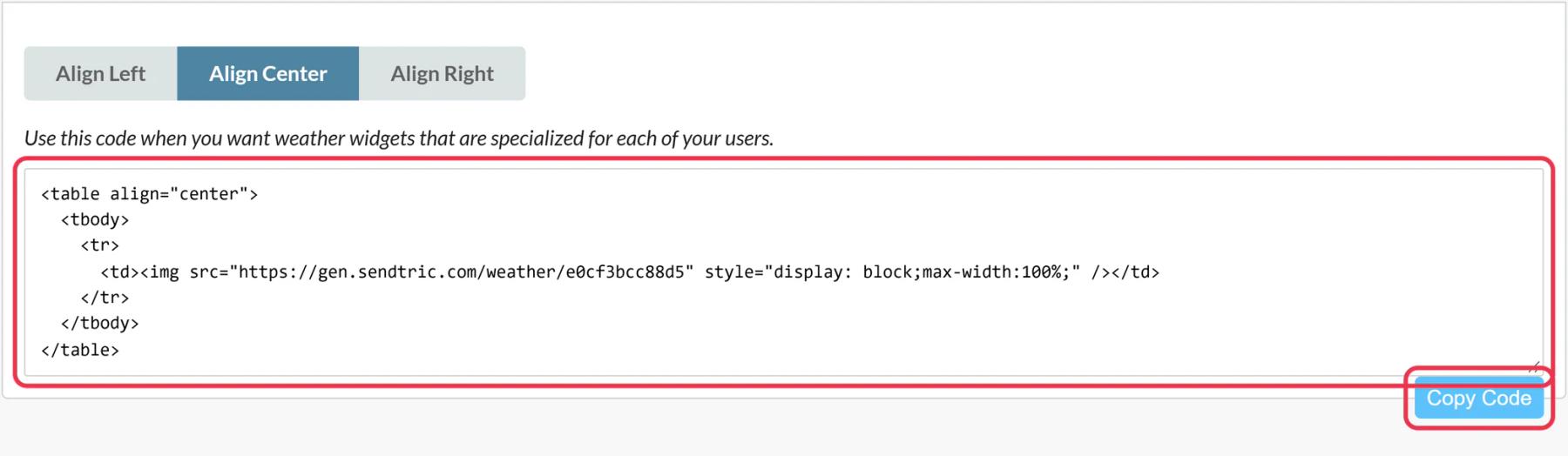
Step 3: Copy the code and add Manago AI's placeholder
Save and click Copy Code. In the code, replace the city,countryCode placeholder with $city$ and your country code, so it reads location=$city$,PL if your contacts are in Poland. If your list spans several countries, send a separate version per country, or base the location on a contact detail that already holds the city and country together.
Step 4: Paste into an HTML content widget
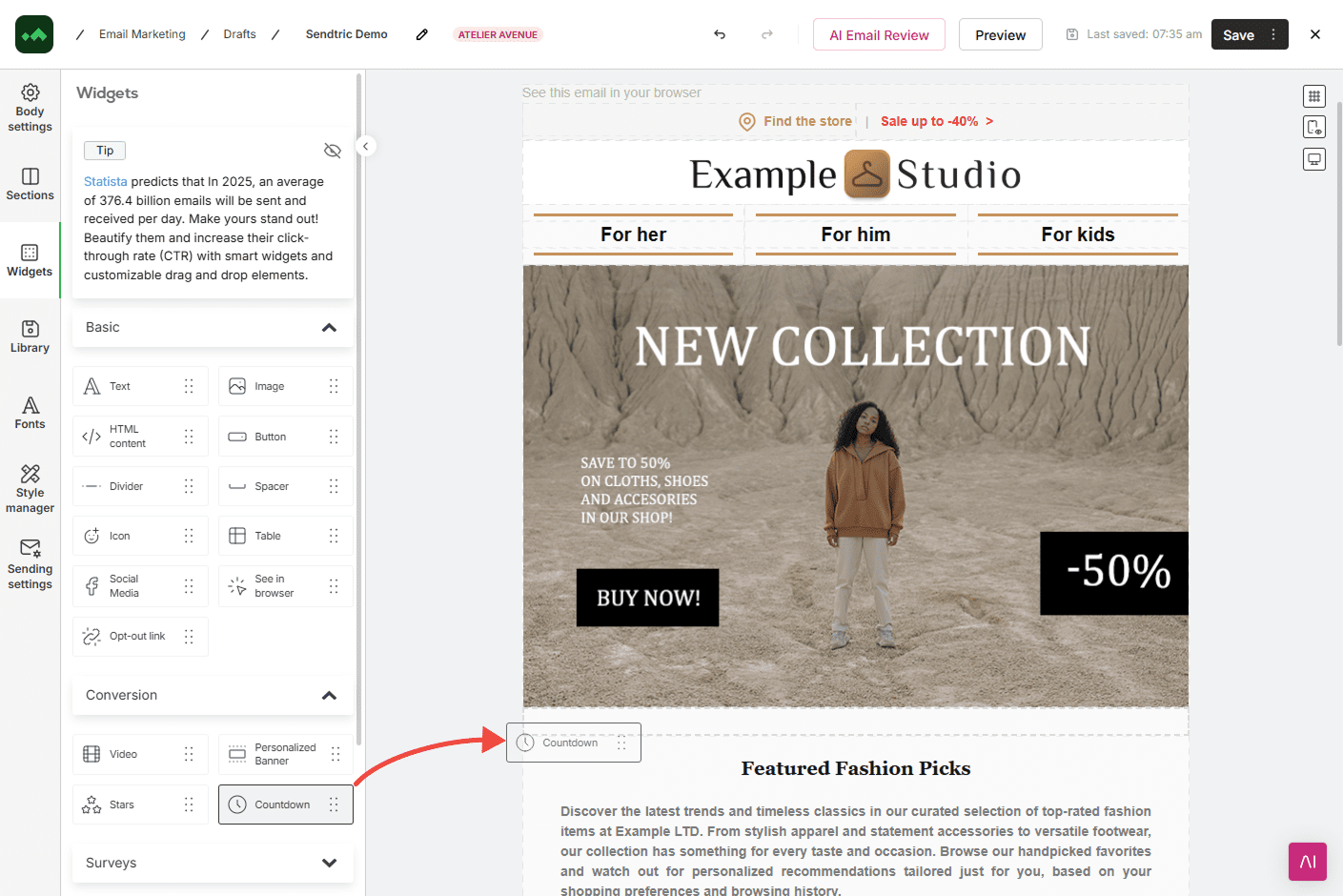
In Email Design Studio, drag HTML content from the Basic widgets into the email, click the placeholder code in the widget's Content section and paste.
Step 5: Test with a few contacts
Send tests to contacts in two different cities and one with no city. Check that the header shows the right place and that the contact without a city gets your fallback.
Plan for contacts without a city
When $city$ is empty or the city can't be found, the widget shows its fallback. The default is to hide the widget, which keeps the email clean. On Micro and above you can upload a fallback image instead, like a generic seasonal banner. Sendtric never guesses the location from the reader's IP address.
Forecast range
Forecasts are available for about 10 days ahead. For an event further away, send the weather email closer to the date, or use Always starts from the day the widget is viewed on Power so each open shows the coming days. See how to show each subscriber their local weather for more setups.
Manago AI Weather Widget FAQ
Does the forecast update after the email is sent?
Yes. The image is generated on open and cached for up to an hour, so a contact who opens the email days later sees a current forecast.
Which Manago AI placeholder do I use for location?
$city$, followed by a comma and the two-letter country code, for example $city$,DE. The country code is needed so Sendtric picks the right city when names repeat across countries.
What if a contact's city is misspelled?
If the city can't be found, the fallback shows: either nothing or your fallback image. Cleaning up the city field in Manago AI gives more contacts a real forecast.
Can the forecast be in Polish or another language?
Yes. Pick the language in the widget settings. Day names and the header are translated into 47 languages.
Does every open count as a view?
Yes, every time the forecast image loads counts as one view, including repeat opens.
Read more about dynamic weather and how it all fits into a wider email personalization strategy.
More Manago AI guides
- Countdown Timers - How to Add Countdown Timers to Manago AI
- Live Polls - How to Add Live Polls to Manago AI
- Personalized Images - How to Add Personalized Images to Manago AI
- Rule-Based Images - How to Add Rule-Based Images to Manago AI
- Critical Alerts - How to Add Critical Alerts to Manago AI
- Social Proof Counters - How to Add Social Proof Counters to Manago AI
Using a different platform? See all Sendtric integrations.