How to Add Social Proof Counters to Manago AI
Add a number that grows as people view or click your Manago AI emails, like "1,240 people viewed this item". Needs Sendtric Power or Enterprise.
 First Publish Date:
Let your Manago AI emails show how many people are already interested.
A Sendtric social proof counter is an image with a live number in it, such as "2,315 people viewed this deal". The number is the all-time total of views of the counter, or clicks on its link, and it's updated every time someone opens the email.
Social proof counters need a Sendtric Power or Enterprise plan.
What you can do with social proof counters in Manago AI
- Show a product is popular: "1,240 people viewed this item" under a product image in a launch email.
- Count clicks on an offer: use Opens as the count source with a Dynamic Link on your button, so the number shows how many people clicked through.
- Build momentum on a destination or event: a running view count on a travel deal or ticket release, hidden until it passes a minimum so it never looks empty.
- Keep links flexible: the Dynamic Link's destination can be changed after sending, which helps when a product page moves.
How to add a social proof counter to Manago AI
Step 1: Create the counter
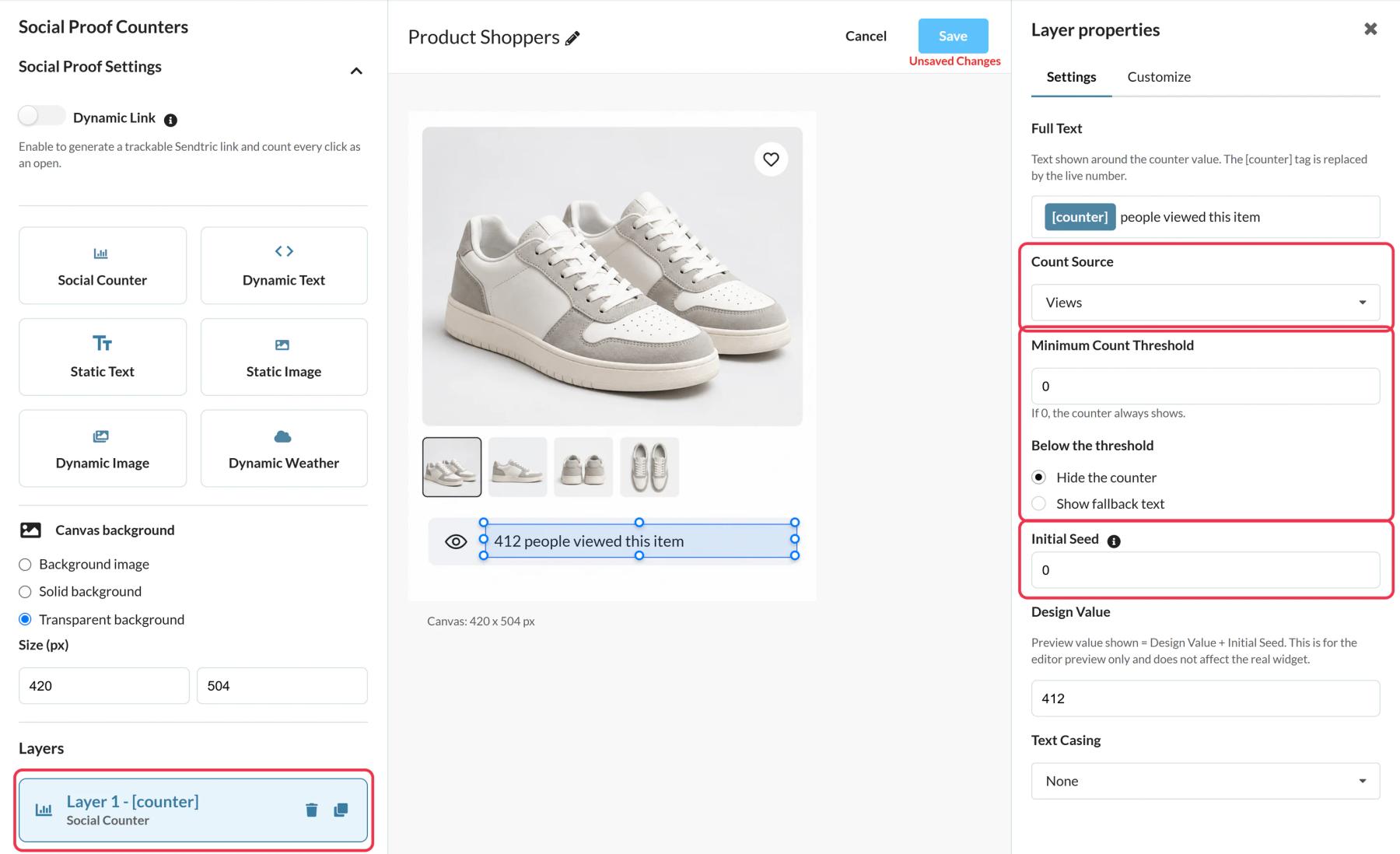
In Sendtric, go to Social proof counters, click Create New and pick a preset like Product Shoppers or a blank canvas. Add a Social Counter layer and write the text around the [counter] tag.
Step 2: Choose what to count
Set Count Source to Views to count every load of the image, or Opens to count clicks on a Dynamic Link. Add a Minimum Count Threshold so the counter stays hidden (or shows fallback text) until the number is worth showing. You can also add an Initial Seed so a new counter doesn't start at zero.
Step 3: Copy the code and the link
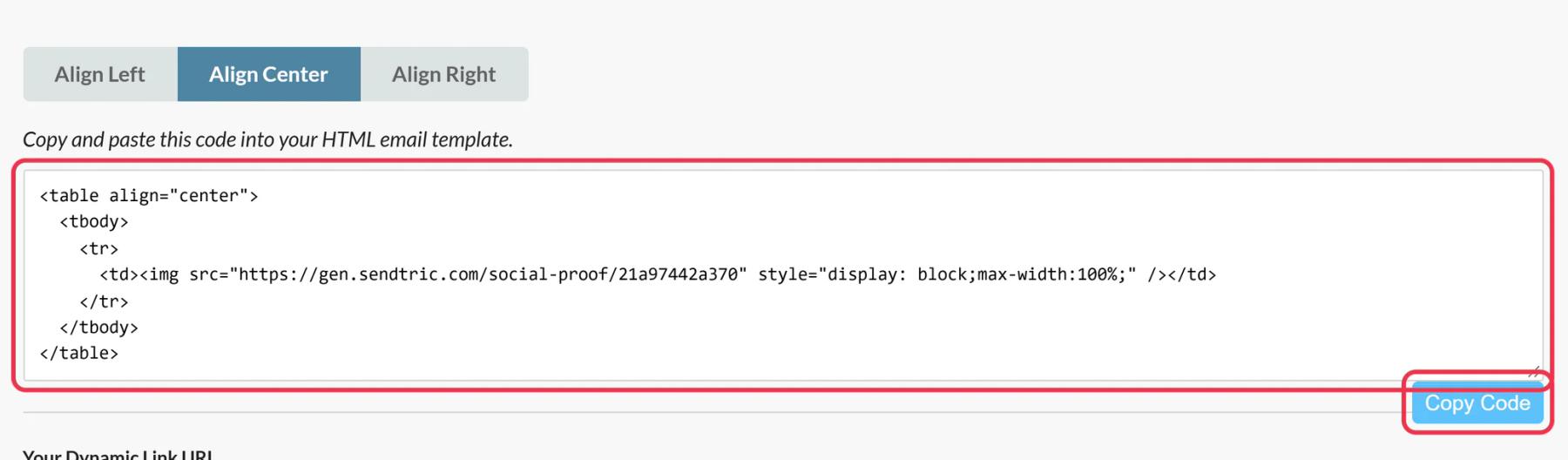
Click Save and then Copy Code. If you set up a Dynamic Link, also copy the URL from Your Dynamic Link URL.
Step 4: Add both to Email Design Studio
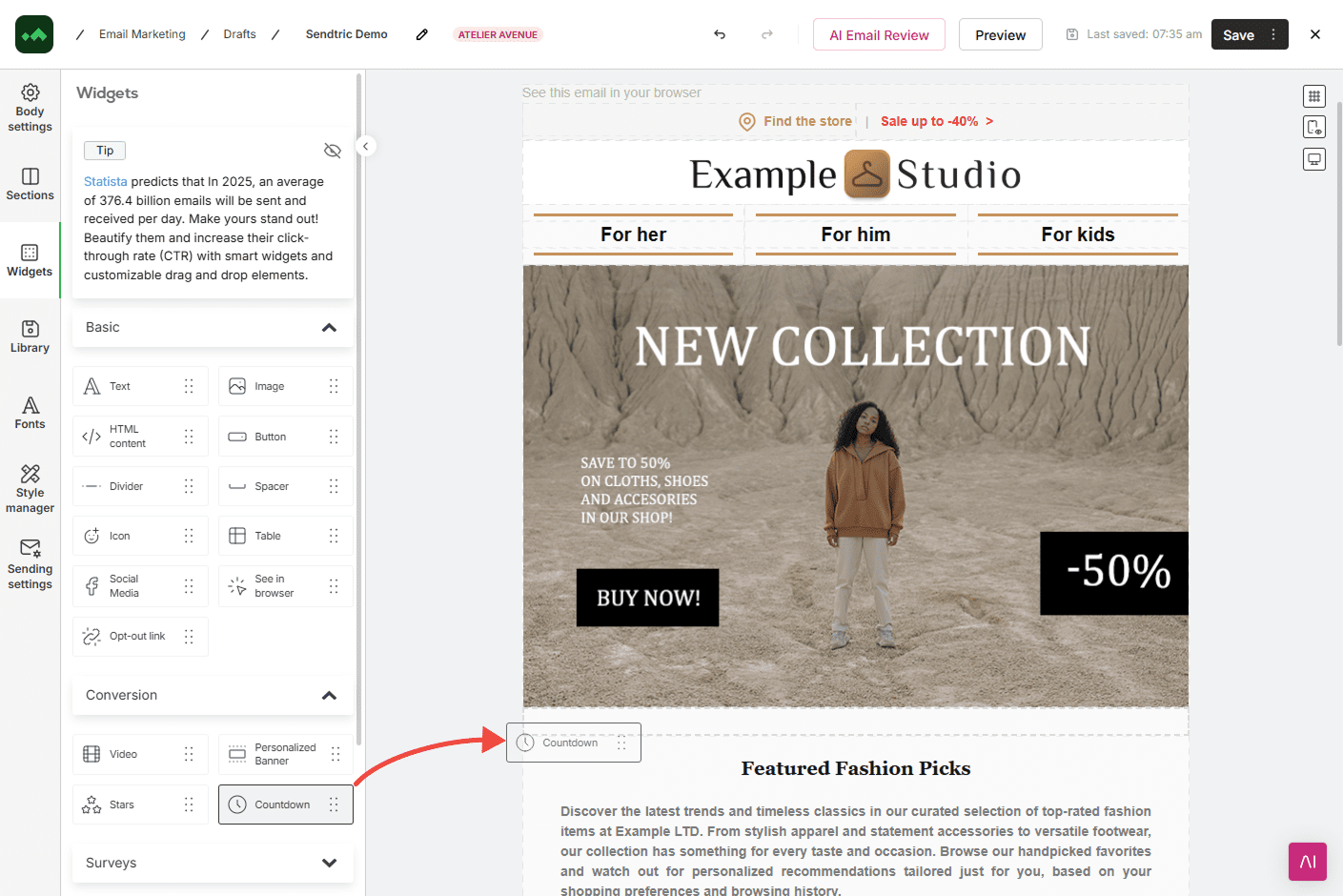
Drag an HTML content widget from Widgets > Basic into the email, click the placeholder code in its Content section and paste the counter code. If you're counting opens, put the Dynamic Link URL on a Button widget next to the counter, since the counter image itself isn't linked.
Step 5: Send a test
Open the test email, then check the counter's views in Sendtric. New activity shows up in the number within a minute or two.
Count honestly
The counter is a running total of image loads or link clicks, including repeat opens by the same person. Word the text to match, like "people viewed this", rather than suggesting that many people are looking right now.
One counter per message
Each counter has its own total. If you reuse the same counter in several Manago AI emails, they all add to the same number, which works well for a single product or event that you promote more than once.
Manago AI Social Proof Counter FAQ
Which plan do I need?
Sendtric Power or Enterprise. On other plans the editor shows "Social Proof Counters is a Power feature". See pricing.
Does the number go up while the contact is reading?
No. The number is fixed at the moment the email is opened. A reopen shows the latest total.
Does the counter use any Manago AI placeholders?
No. A counter shows the same total to everyone, so the code works as it is, with nothing to replace.
Can I change where the button goes after sending?
Yes, if the button uses the counter's Dynamic Link. Change the Destination URL in Sendtric and new clicks go to the new page.
How is the number formatted?
With comma thousands separators, like 1,740, in every language.
Read more about social proof counters and how it all fits into a wider email personalization strategy.
More Manago AI guides
- Countdown Timers - How to Add Countdown Timers to Manago AI
- Live Polls - How to Add Live Polls to Manago AI
- Personalized Images - How to Add Personalized Images to Manago AI
- Rule-Based Images - How to Add Rule-Based Images to Manago AI
- Dynamic Weather - How to Add Dynamic Weather to Manago AI
- Critical Alerts - How to Add Critical Alerts to Manago AI
Using a different platform? See all Sendtric integrations.