How to Add Social Proof Counters to Klaviyo
Add a counter to Klaviyo emails that shows how many times an email has been viewed or a link clicked, updated each time someone opens it.
 First Publish Date:
Let the size of the crowd make the case in your Klaviyo emails.
A Sendtric social proof counter is an image with a number in it, like "3,410 people opened this". The number is the running total for that widget and is drawn fresh each time the email is opened. Social proof counters need a Sendtric Power or Enterprise plan.
Two things can be counted. Views counts every load of the counter image, repeat opens included. Opens counts clicks on a Sendtric Dynamic Link that you put on a button. Either way it's an all-time total, not the number of people looking right now, so word your text to match.
What you can do with social proof counters in Klaviyo
- Launch campaigns: show how many times the launch email has been viewed so far, next to the shop button.
- Back in stock flows: a counter on the restock email shows that other people were waiting too. See back in stock and waitlist emails.
- Sale clicks: count clicks on the Dynamic Link behind your main button and show "2,000+ shoppers already clicked through".
- Webinar or event invites: count clicks on the register button and show that total in the reminder emails.
How to add a social proof counter to Klaviyo
Step 1: Create the counter
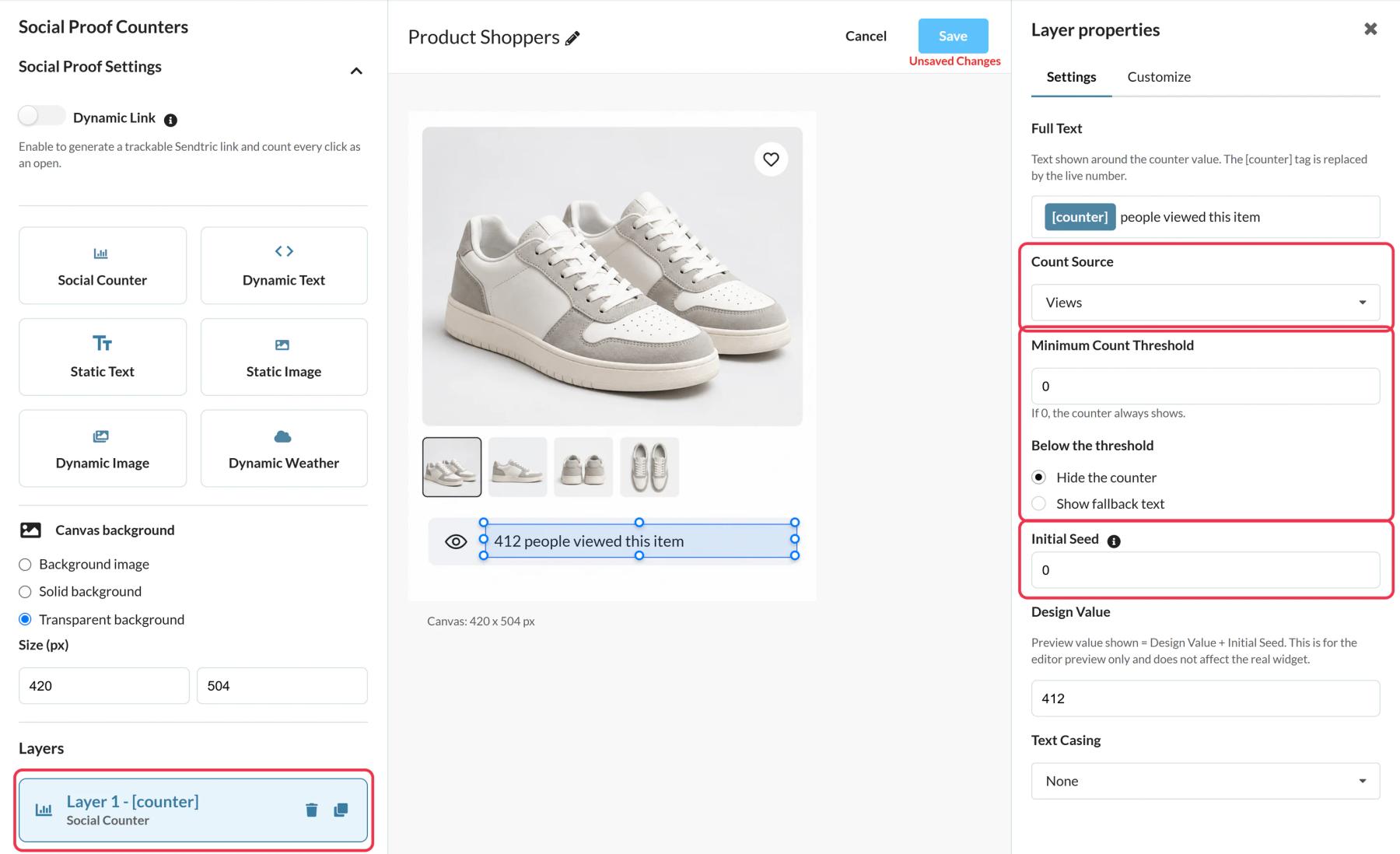
In Sendtric, open Social proof counters and click Create New. Pick a preset such as Product Shoppers or start blank, and add a Social Counter layer where you want the number.
Step 2: Choose what it counts
In the layer settings, write the Full Text around the [counter] tag and pick a Count Source. For Opens, set up a Dynamic Link in Social Proof Settings with your Destination URL (it must start with https://).
Step 3: Avoid a low first number
Set a Minimum Count Threshold so the counter stays hidden, or shows short fallback text, until the total is worth showing. An Initial Seed adds a starting number to the real count, so only use one if it reflects real interest from elsewhere, like earlier sign-ups.
Step 4: Save, then push or copy
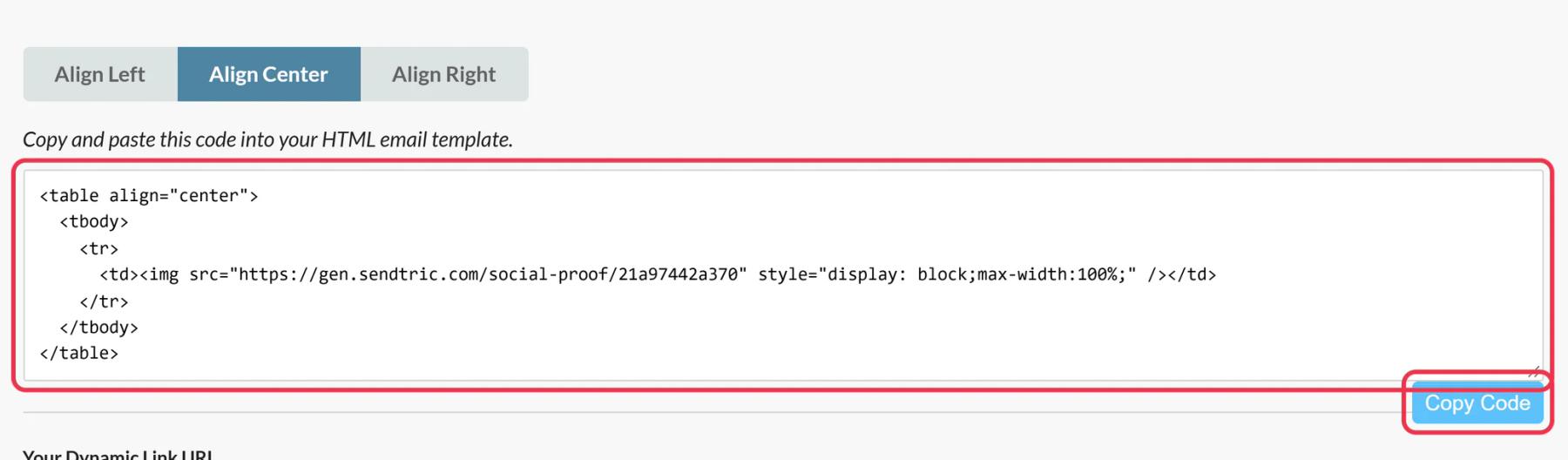
Click Save, then Push to Klaviyo, or click Copy Code. If you use Opens, also click Copy URL under Your Dynamic Link URL.
Step 5: Add it to the Klaviyo email
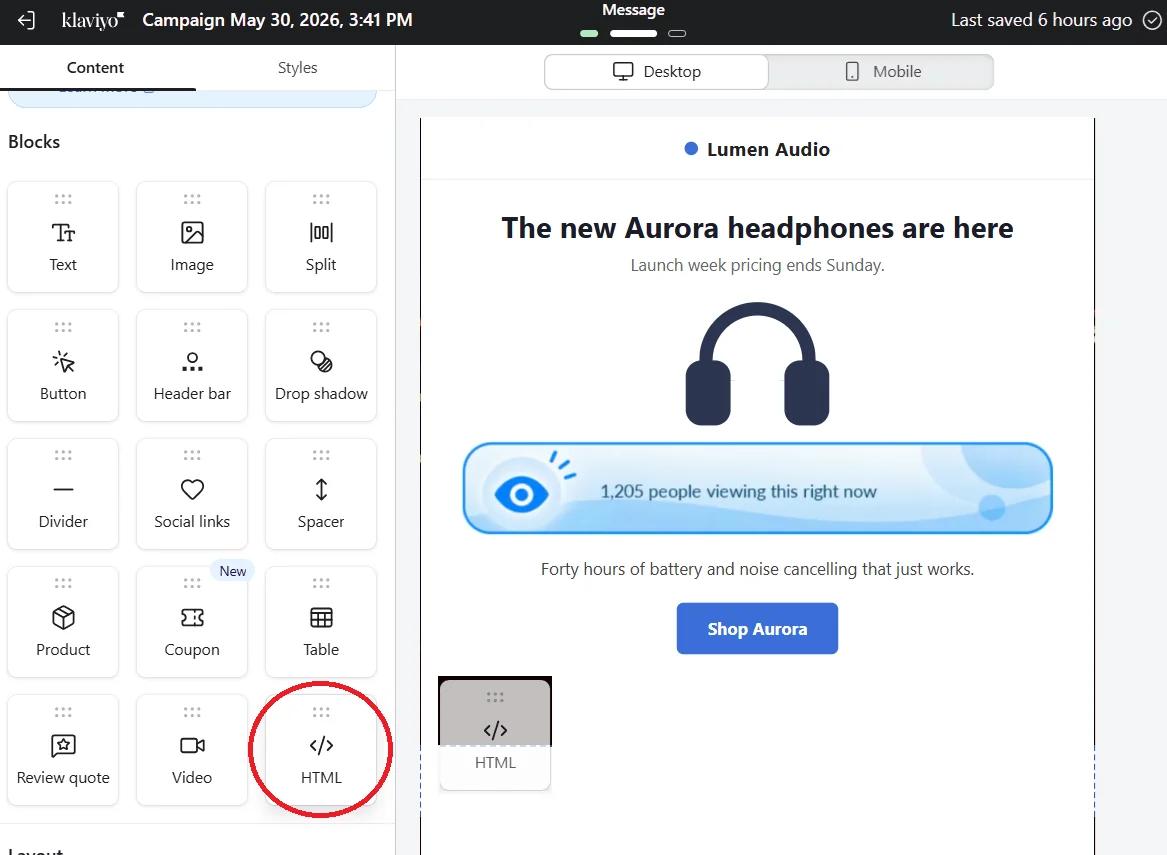
Drag the pushed block from the Universal tab, or paste the code into an HTML block. For an Opens counter, select your Button block and paste the Dynamic Link URL as its link, since the counter image itself isn't clickable.
Step 6: Send a test
Use Preview and Send test, open the test, and check the counter. New views and clicks show up in the number within a minute or two.
Put the counter next to a button and a product
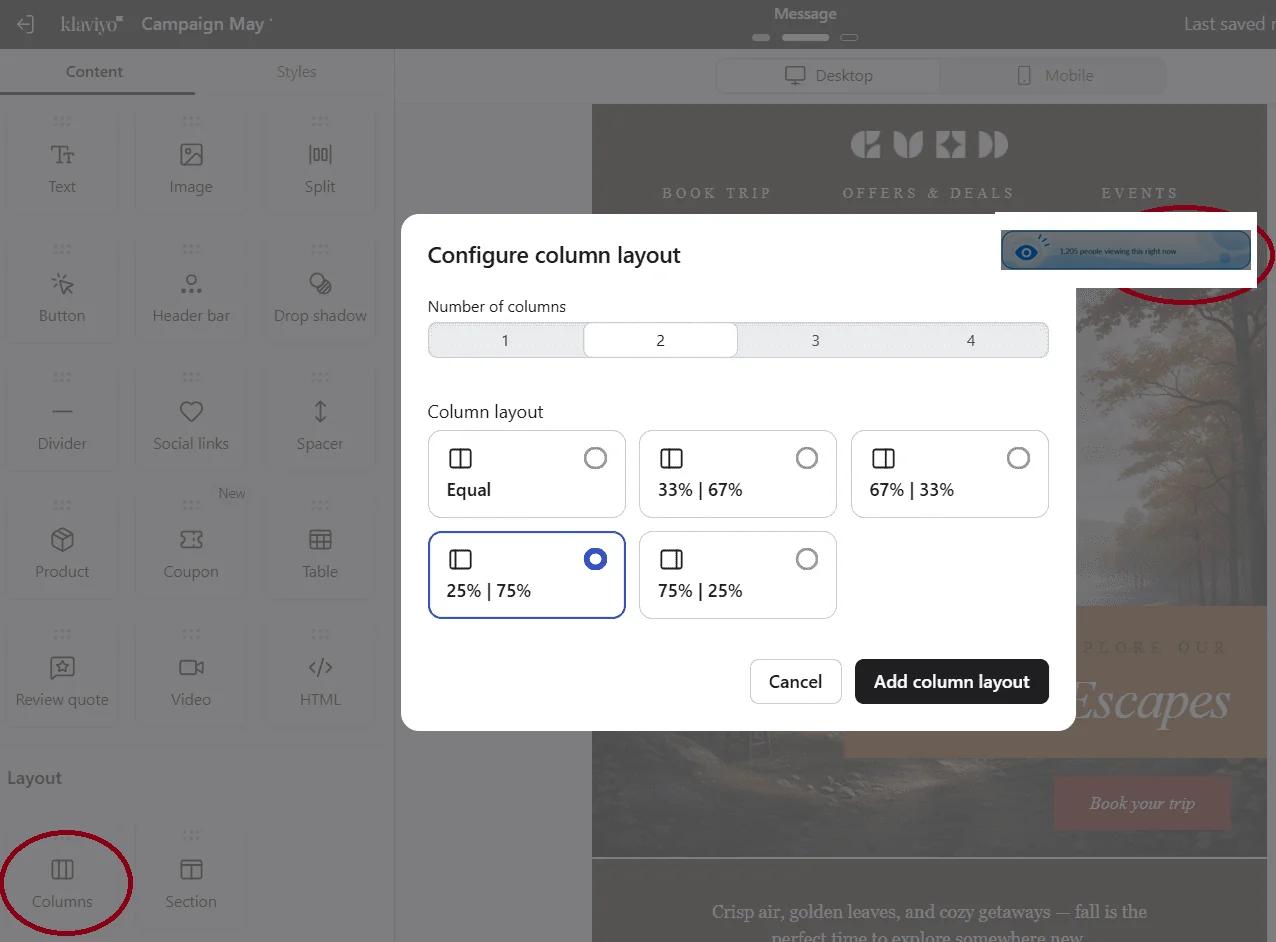
A counter reads best right beside the thing it is about. Use a Columns layout or a Split block to sit the counter next to the product image, with the button underneath.
Klaviyo Social Proof Counter FAQ
Does the counter show unique people?
No. Views count every load of the image, including the same person opening twice. Write text like "views" or "opens" rather than "people" if you want to be exact.
Does the number keep ticking while someone reads the email?
No. It's fixed at the moment of opening and updates the next time the email is opened.
Can I change where the button goes after the campaign is sent?
Yes, if the button uses the Dynamic Link. Change the Destination URL in Sendtric and clicks from sent emails go to the new page.
Can I use one counter across several Klaviyo emails?
Yes. Every email that carries the same counter adds to and shows the same total. Create separate counters if you want separate numbers per campaign.
Which plan do I need?
Sendtric Power or Enterprise. On the Klaviyo side, any plan works. See pricing.
Ready for more? The social proof counters overview covers every setting, and the email personalization page shows how to combine it with other Sendtric widgets.
More Klaviyo guides
- Countdown Timers - Add Countdown Timers in Klaviyo
- Countdown Timers - How to Add Dynamic Timers in Klaviyo
- Live Polls - How to Add Live Polls to Klaviyo
- Personalized Images - How to Add Personalized Images to Klaviyo
- Rule-Based Images - How to Add Rule-Based Images to Klaviyo
- Dynamic Weather - How to Add Dynamic Weather to Klaviyo
- Critical Alerts - How to Add Critical Alerts to Klaviyo
Using a different platform? See all Sendtric integrations.