
How Email Polls Make Marketing a Two-way Street
Email polls put power back in users' hands. They're an instant way to gather feedback, gain insights, and engage your audience. But how should you be using email polls, and what capabilities can you unlock by setting them up?
 First Publish Date:
 Email polls seem simple – and they are! That's what makes them so powerful. But that same simplicity also means they're underused (or worse, misused), and often relegated to the bottom of the email marketer's toolkit. We're here to tell you all about the power of polls, and how real-time, live, interactive poll taking in your emails can absolutely transform your customer experience – and your bottom line.
Key Takeaways
- By embedding interactive voting directly in the email body, you remove friction and dramatically increase the likelihood of engagement.
- Polls gather actionable first-party data without third-party tracking. When subscribers vote, they're telling you exactly what they think, want, and need – and they're doing it willingly.
- Different poll formats serve different goals. Multiple choice, yes/no, and rating scales each unlock different types of insights, from product preferences to satisfaction scores.
- Live polls create a reason to re-open. As votes roll in, results update in real-time, encouraging subscribers to return to the email to see how their opinion compares.
- Personalized poll CTAs can dramatically increase conversions. By voting, subscribers signal intent, giving you the perfect opportunity to redirect them to a relevant landing page or offer.
- Polls are a powerful re-engagement tool. Sending a poll to inactive subscribers gives them a low-friction reason to interact with your brand again, often generating measurable revenue from dormant contacts.
- Incentives can boost response rates by up to 30%. Offering a small reward – a discount, a gift card entry, or exclusive content – significantly increases participation.

What Are Email Polls?
Email polls are interactive sections, embedded directly in the body of an email. They allow recipients to vote or select answers – without leaving their inbox [1]. They update in real time, showing results, or feeding into your data stream immediately.
Unlike traditional surveys that require clicking a link and opening a new browser window, email polls capture feedback instantly, at the moment of engagement. The user doesn't have to go to a third party website or app to complete the poll, and generally, email polls are very short.
This all makes participation way more likely (and much easier).
The technology behind them is similar to other dynamic email personalization tools. A poll widget is essentially a dynamic block of HTML that renders live options and captures click data. When your subscriber votes, that action is recorded by the poll platform (which can be done via a unique identifier passed from your ESP), and the response is captured.
What makes email polls so powerful? It's the immediacy and simplicity of it all. There's no friction, no page load, no forgotten intention. The subscriber sees a question, clicks an answer, and moves on.
For email marketers, that single click delivers a supercharged data point that would otherwise have never happened.
Embedded Email Polls Vs. External Polling Platforms
Why do you need to use email polls when there's a bunch of free, readymade options out there – like Google Forms and SurveyMonkey? Well, email surveys have some distinct advantages, and are geared towards speed. They also have significantly higher response rates, up to 35% [2].
| Key Benefits | Email Polls | External Polling Platform |
|---|---|---|
| Instant responses | Yes | No |
| Low-friction – zero clicks | Yes | No |
| High contextual relevance | Yes | No |
| Add images and branding | Yes | No |
| See real-time results | Yes | No |
| Connect with your ESP/CDP | Yes | Yes |
| Good for long surveys | No | Yes |
| Typical response rate | 25-35% [2] | 10-30% [4] |
External polling platforms have their uses, especially for long surveys and questionnaires – but they are a totally separate experience, and most of the time need to be highly incentivized to get users to participate [5].
How to Use Interactive Email Polls
Although email polls are simple (and usually only a single question), there are limitless ways to use them.
Want to re-engage inactive subscribers? A poll is an easy, low-friction way to win them back [3].
Football game coming up? Poll your subscribers on gameday with "who's your pick?" – and give everyone who picked the winning team an exclusive offer. Or poll live events in real time for audience reactions, and use the data to inform your next move.
Run a restaurant chain? Ask diners subscribed to your mailing list if you met their expectations at their last visit, or let customers vote for your kitchen's next creative output… The sky's the limit.
What matters is the format you choose, and your intent with polling. Don't just use it as a crutch for creativity – otherwise, you're just scraping the bottom of the idea barrel with an interactive element. Your email poll should align with the type of feedback you want, and the level of detail you need to get it.
The Different Types of Email Polls
Multiple Choice Polls

Multiple choice polls ask subscribers to select from a list of predefined options. This format is ideal for product research, preference analysis, and gathering essential user feedback. For example, a fashion brand could ask, "Which of these new styles would you wear?", with images of three different jackets. A SaaS company can ask, "Which feature would you find most valuable?", with a list of roadmap possibilities. Restaurants can propose new specials, artists can let ticket holders decide their opening song at the next show, and student bodies can elect their class presidents.
Multiple choice polls provide structured, easily analyzable data. You're basically counting votes and identifying clear patterns. It also allows for visual answers. Showing images as options can make the poll more engaging and the data more reliable.
Yes/No Polls
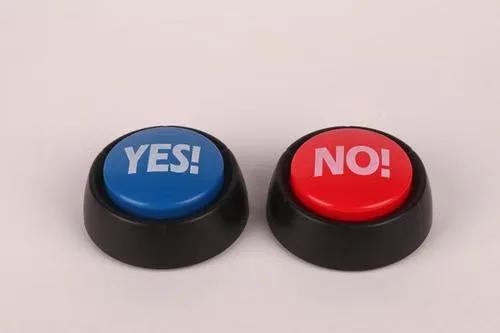
Sometimes the simplest questions give you the most useful answers. Yes/No polls are perfect for quick feedback: "Did you enjoy our last webinar?" "Should we bring back free shipping?" "Was this email helpful?".
These polls have extremely low cognitive load. They require almost no effort from the subscriber, which means higher participation rates. They're also excellent for A/B testing concepts before a full launch, or for making a quick decision that requires audience input.
Rating Scales (1 to 5)

Rating scales provide more nuanced feedback than binary options. These are ideal for measuring satisfaction, likelihood to recommend (NPS-style questions), or perceived value.
For example, a hotel chain can get their guests to rate their stay with a 1 to 5 star scale. An ecommerce brand might ask, "How easy was it to find what you were looking for?" with a 1 to 5 scale. The data from rating scales is quantitative and comparable over time, making it useful for tracking trends, especially around customer satisfaction.
Powerful Email Poll Deployment Ideas
Favorite Products and Product Preferences
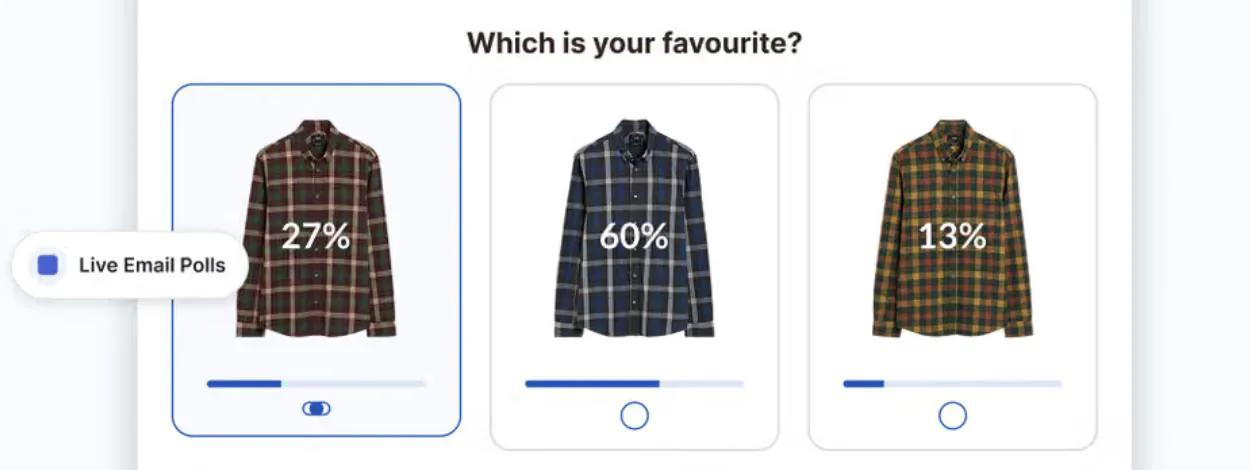
Instead of guessing what your audience wants, ask them. Show subscribers a selection of upcoming products, seasonal items, or design variations – and let them vote for their favorites.
This serves two purposes. First, you get some otherwise invisible data on what to stock, promote, or feature. Second, you give subscribers a sense of ownership and investment in your product line. When they see their preferred item launch successfully, they feel like they were part of the process. And invested, engaged customers are good for business.
Customer Preferences and Segmentation
Polls can also be used to create richer customer profiles. A single question can serve as a powerful segmentation signal: "What type of content do you want to see more of?" with options like "Product tips," "Behind-the-scenes," "Industry news," or "Exclusive offers."
Another way this can be used is for opting out of potentially sensitive content. We wrote about Etsy's Valentine's Day Opt-Out campaign in another post about email personalization, and it's a powerful way of creating inclusivity and sensitivity within your emails.
Some of your customers might be long-term sober, or not drink for religious reasons. So let them choose if they want to get alcohol content. Others might have recently lost a parent, or be no-contact with their family – so let them pick if they want Mother's Day and Father's Day offers.
If losing even just a handful of subscribers would hurt your business, then this is the level of detail you need to think about.
The data from these polls can feed directly into your ESP, CRM, or CDP, allowing you to segment your list based on stated preferences rather than inferred behavior.
One Question Feedback and NPS
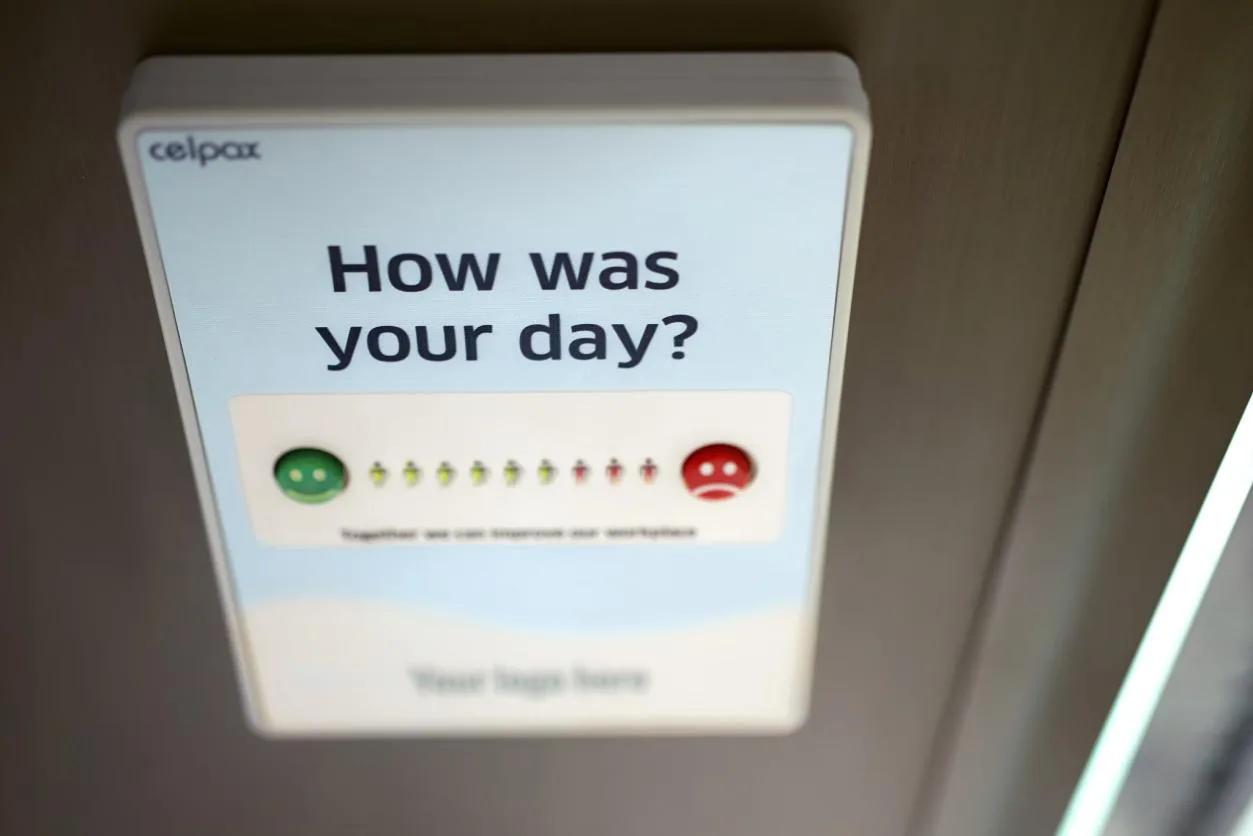
Sometimes, you need a quick pulse check. A single question poll in a post-purchase email or a re-engagement campaign can capture satisfaction or loyalty data without the overhead of a full survey.
For NPS-style questions ("How likely are you to recommend us to a friend?"), an embedded poll can capture the score directly in the email. The subscriber clicks a number, and the response is recorded. This dramatically reduces the friction of traditional NPS surveys, which often suffer from low response rates because they require leaving the inbox.
Integrating Polls Into Campaigns
Polls don't have to be the star of the email. They can be integrated into newsletters, promotional sends, and even transactional emails as a secondary engagement element. A weekly newsletter might include a quick poll to ask what readers want to see more of at the bottom. A promotional email might ask, "Which of these offers interests you most?" before presenting a personalized discount.
Relevance is the key. It needs to feel like part of the email, not tacked on. A poll that enhances the email's message – and that gives the subscriber a voice – will be way more appealing.
Real-time Results and Live Polls
One of the most engaging features of email polls is the ability to show live results. As subscribers vote, the poll updates to display the current distribution of answers. This creates a dynamic, social experience within the email itself.
Live results serve multiple psychological purposes. They satisfy curiosity, and subscribers who vote can immediately see how their opinion compares to others. They also create social proof – seeing that many people have voted for a particular option validates that choice.
And they encourage re-opens. Any subscribers who voted early may return to the email later, just to see how the results have shifted.
All of this turns a static email into a living, evolving experience. It's a fundamentally different kind of engagement than traditional email marketing, where the content is fixed at send time. With live polls, the email keeps going, and takes on a life of its own.
Redirecting Voters After They Vote
One of the most powerful (and underused) features of email polls is the ability to redirect voters after they submit their answer [6]. Instead of simply showing voting results or a thank you message, you can send subscribers to a landing page of your choice.
This creates a seamless pathway from engagement to action.
A poll asking customers which sales category they are most interested in can redirect them to the corresponding sale page.
A Yes/No poll asking "Did you enjoy this content?" can redirect "Yes" voters to a related article or resource, and "No" voters to a feedback form.
A rating poll from a restaurant or hotel can redirect 4-5 star ratings to a coupon for their next visit, and 1-3 star ratings to a deeper feedback survey.
Redirects transform a poll from a data collection tool into a conversion magnet – delivering immediate, personalized value.
Best Practice for Email Polls
Short and Sweet
Polls work best when they require minimal cognitive effort [8]. A single question with clear options is more likely to get responses than a multi-question survey embedded in an email. One poll, one question. If you have multiple questions, send multiple emails (but not all at once!).
Use Visual Options
Images make polls more engaging and more accurate – and they influence response rates [9]. When subscribers can see the products or concepts they're voting on, they make better decisions and report higher satisfaction with the interaction. Just try not to be too leading or biased with your image choices, if you want the best results.
Offer an Incentive
Even without an incentive, a well-placed, relevant poll can generate strong engagement – but if you want to up the ante, incentives can increase response rates by up to 30% [7]. This doesn't have to be expensive to work. A chance to win a $10 gift card, a small discount code, or even some exclusive content can be enough.
Respect Privacy and Transparency
Polls collect data, and subscribers know it. Be transparent about what you're asking and why. A simple note like "Help us improve your experience" or "We'd love your input" builds trust. Avoid asking for sensitive information unless it's clearly relevant and you've explained how it will be used. You can also anonymize your polls, and communicate this in your messaging [10].
Test and Iterate
Not every poll will perform equally. Test different question types, placements within the email, and incentive structures. Track not just response rates, but downstream metrics: did polled users convert at a higher rate? Did they engage more with subsequent emails? The data will tell you what works for your audience.
Try It Now For Free – Create a Real-time Poll for Your Emails
Frequently Asked Questions
What are email polls?
Email polls are interactive widgets embedded directly in the body of a marketing email that allow recipients to vote or select answers without leaving their inbox. They capture feedback instantly and can be used for research, engagement, and segmentation.
What types of email polls can I create?
You can create multiple choice polls with text, image, shape, live results and other elements, yes/no polls, and rating scales (1 to 5). Each format serves different goals, from quick pulse checks to preference research.
Can email polls show live results?
Yes. Live polls update in real-time as subscribers vote, displaying the current distribution of answers. This creates social proof, satisfies curiosity, and encourages subscribers to re-open the email to check results.
Can I redirect voters to a landing page after they vote?
Yes, you can redirect voters to a different custom URL for each poll option – to a product page, sale category, or feedback form. This turns a poll into a conversion mechanism.
How do email polls compare to traditional surveys?
Email polls have higher engagement rates because they require no external clicks or page loads. Traditional surveys often suffer from low response rates because they require leaving the inbox and opening a new browser window.
What is the best type of poll for product research?
Multiple choice polls with images are best for product research. They allow subscribers to see and compare options, leading to more accurate and actionable feedback.
Can I use email polls for NPS measurement?
Yes. A rating scale poll embedded directly in an email can capture NPS scores with minimal friction. This often results in higher response rates than traditional NPS surveys.
How can I increase response rates for my email polls?
Keep the poll short (one question), use visual options, and consider offering a small incentive. Incentives can increase response rates by up to 30%.
Are email polls privacy-compliant?
Yes, when implemented correctly. Sendtric's polls collect minimal data – typically only the vote itself and a unique identifier from your ESP. They are designed to comply with CCPA and GDPR.
Can I use polls to re-engage inactive subscribers?
Yes, absolutely. Sending a poll to inactive subscribers gives them a low-friction reason to interact with your brand again.
Sources
[1] https://www.sendtric.com/email-poll-widget/
[2] https://customergauge.com/blog/what-is-the-best-channel-to-collect-customer-feedback
[3] https://mailchimp.com/help/re-engage-inactive-subscribers/
[4] https://uk.surveymonkey.com/curiosity/how-many-people-do-i-need-to-take-my-survey/
[6] https://www.sendtric.com/help/how-to-redirect-users-to-a-landing-page-after-they-vote-in-a-poll/
[7] https://www.campaignmonitor.com/resources/knowledge-base/how-do-you-ask-for-feedback-in-an-email/
[8] https://outgrow.co/blog/create-a-poll
[9] https://www.snapsurveys.com/blog/role-images-online-surveys/
[10] https://uk.surveymonkey.com/learn/survey-best-practices/anonymous-poll/