
Add Countdown Timers in Klaviyo

Add Countdown Timers in Klaviyo

Add live countdown timers to Klaviyo campaigns and flows in under 2 minutes. No coding required.

Here is how to add urgency, FOMO, and ultimately improve conversions by adding countdown timers to your Klaviyo email templates.

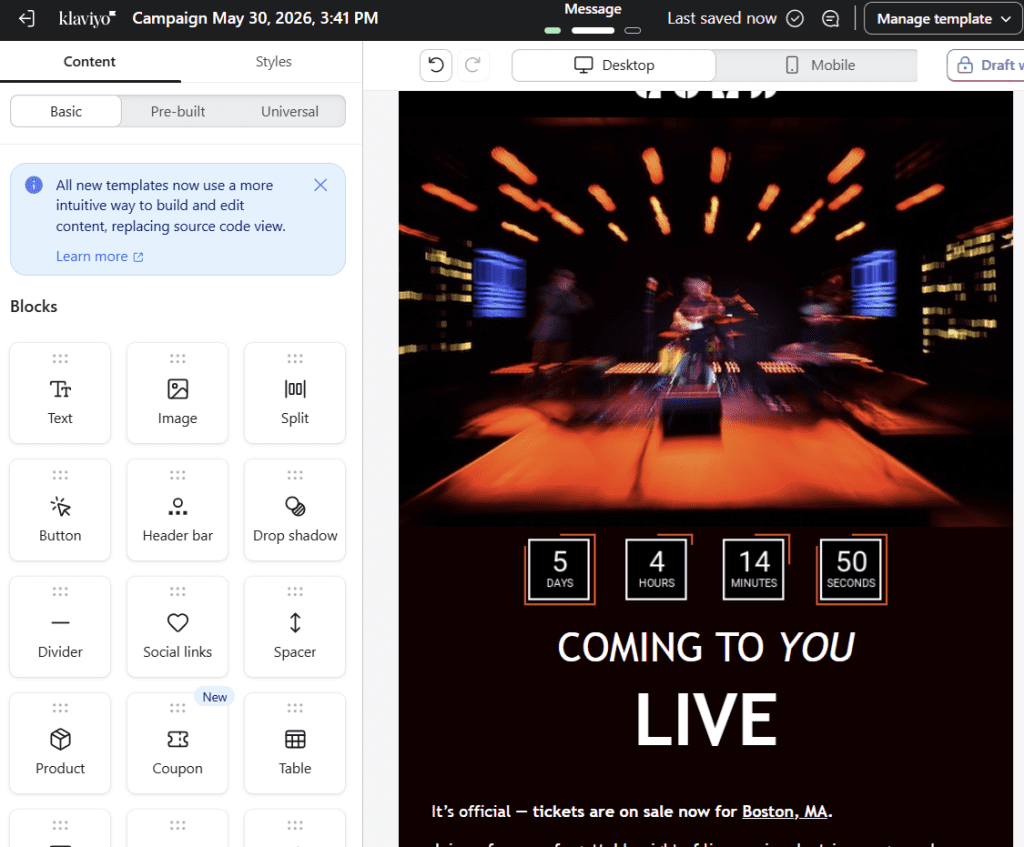
Klaviyo Editor + Sendtric counter

Klaviyo does not have native timers, but supports the required merge tags and variables to use advanced timers such as unique user and Start-on-Send Evergreen timers.

Feature Sendtric + Klaviyo Native Klaviyo
Countdown timers
Start-on-Open timers
Start-on-Send timers
Evergreen timers
Unique user timers
Expiry redirects (dynamic links)
Works in flows
Works in campaigns
No coding

Which Countdown Timers does Klaviyo support and what are they used for

You can add urgency, fear of missing out (FOMO), and scarcity to your Klaviyo campaigns by using one of the following countdown timer types provided by Sendtric:

  1. Standard Date & Time Timers

    A live, animated countdown timer that counts down to a specified date and time. Standard timers are perfect for Flash sales, limited promotions, product launches, events, deadlines. You can use standard timers in Klaviyo without any merge tags or custom variables – just copy and paste the HTML code provided by Sendtric.

  2. Start-on-Open Timers 

    A live, evergreen, animated countdown timer that starts counting down when the user first opens the email for a specified duration. Perfect for abandoned cart and general urgency email campaigns. Klaviyo supports start-on-open-timers without needing any merge tags or custom variables – just copy and paste the script into an HTML block!

    • Unique timers: enable unique timers on the start-on-open timer type so that Sendtric remembers every unique user’s timer from when they first opened the email, so that the timer will continue counting down if they re-open the email. Unique timers work perfectly in Klaviyo because you can use the built in {{ person.KlaviyoID }} for an anonymous unique id or {{email}}!
  3. Start-on-Email-Send timers 

    A live, evergreen, animated countdown timer that starts counting down when the email is sent for a specified time. Klaviyo supports this timer type by using {% now U %} liquid syntax to specify the time when the email was sent. Amazing for abandoned cart, trials, and any event based emails. Just select Klaviyo as your ESP in the Sendtric dashboard, copy and paste the HTML code and you have this powerful timer type at your disposal.

How to add a countdown timer to Klaviyo

This guide will cover integrating Sendtric countdown timers in the Klaviyo platform. It requires no technical knowledge and only takes a few minutes. To see our full list of setup guides, click here.

1. First, create your timer on Sendtric. Select the timer type, customize the timer to fit your brand and email campaign, and finally copy the HTML code of your preferred alignment.
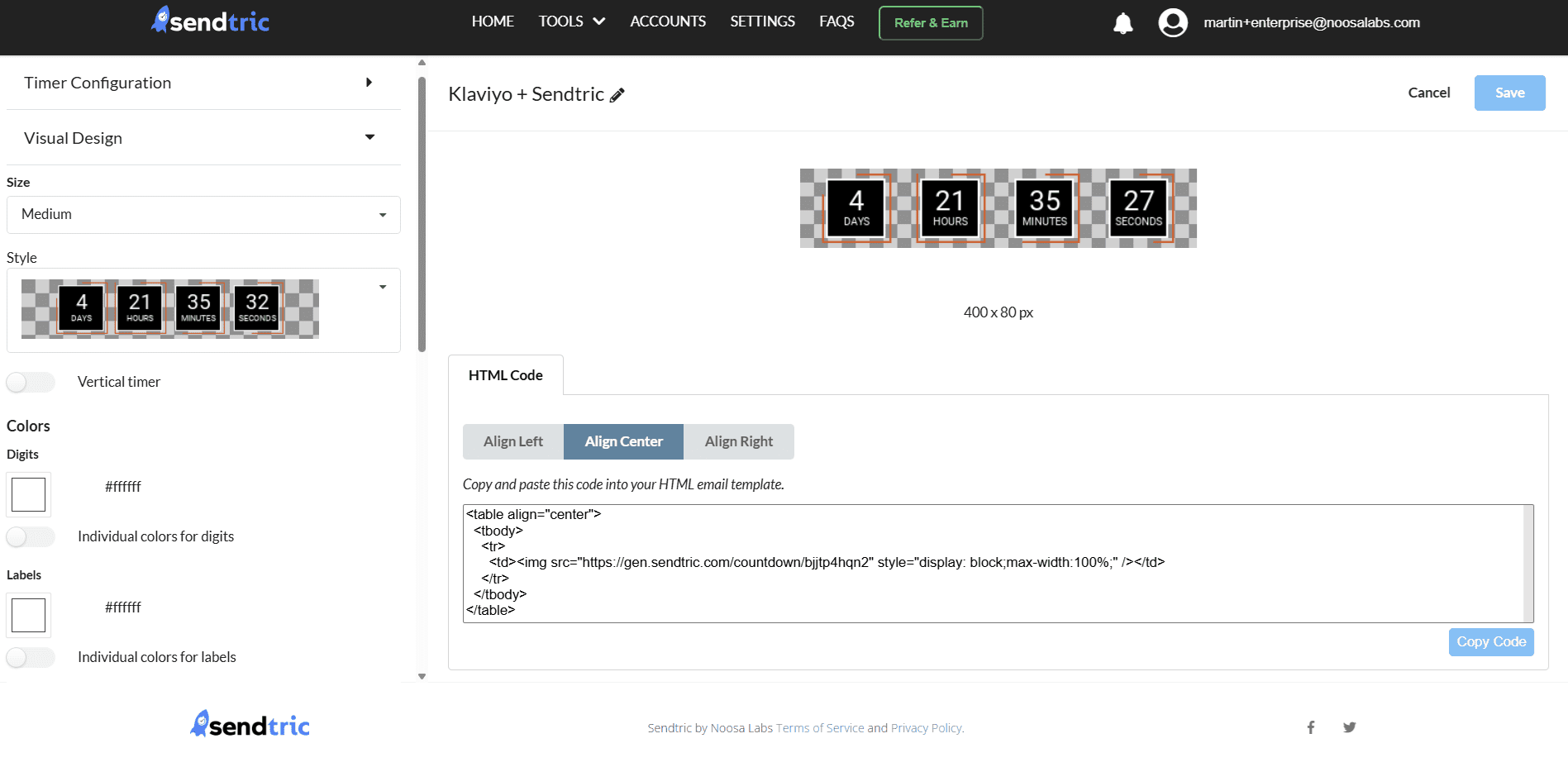
2.In your Klaviyo Email template, insert the HTML block into your desired location using the Klavyio drag and drop editor. Paste the copied HTML code in the box on the left hand side.
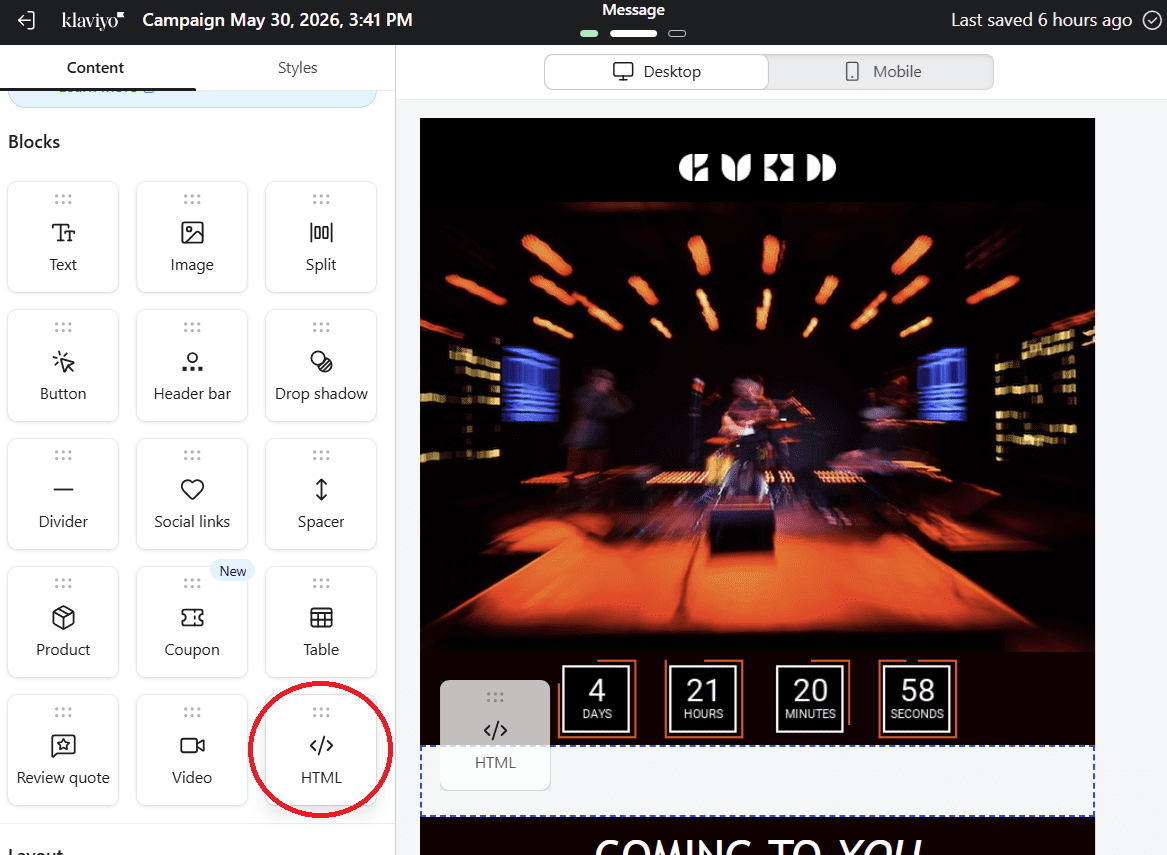
 

3. You are done. It’s as simple as that. Now watch the conversion rate skyrocket.

Klaviyo Inline Countdown Timer:

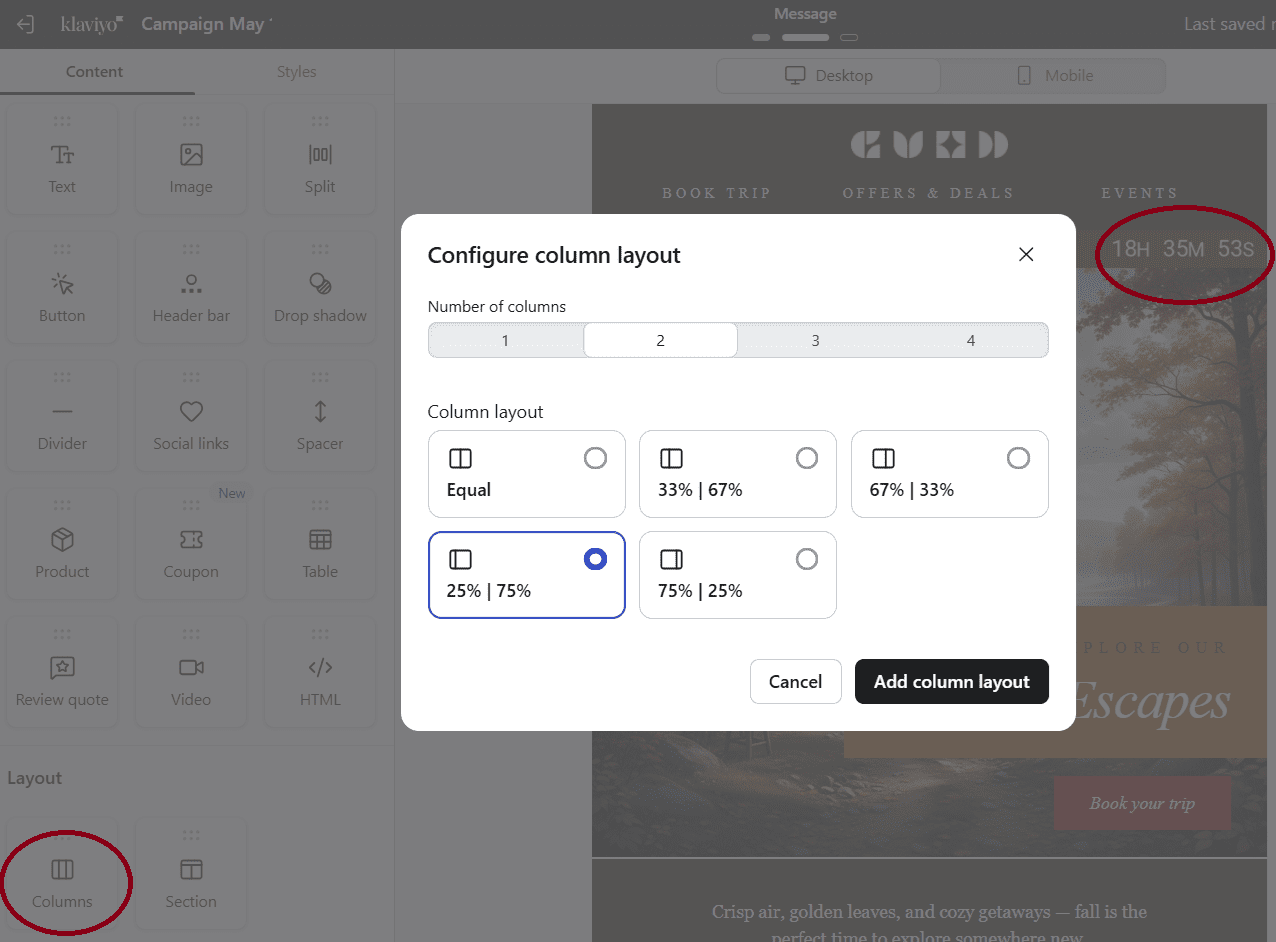
If you wish to use an inline countdown timer, select the appropriate timer style and add a column block to your email template first, before adding the HTML block with the timer into one of the columns depending on where you want the timer to be.
 

Klaviyo Countdown Timer FAQ

Follow the guide above to create your timer in Sendtric and copy and paste the provided code into an HTML block within your Klaviyo Template. It only takes a few minutes!

Yes – Sendtric’s countdown timers can be used in Klaviyo Flows and automations. In fact, it’s a great way to provide highly personalized timers exactly when they have the biggest improvement on conversion rate.

Klaviyo also supports the most advanced countdown timer types such as start-on-send and unique timers

Yes, Sendtric’s countdown timers work in dark mode, even in Gmail who use aggressive dark mode algorithm. For tips on how to handle dark mode, please read our dark mode tips article.

Yes – Klaviyo supports both unique and start-on-send timers. Both of these are personalized to every user and/or segment.

To use these timers, simply select the corresponding timer you wish to use in the Sendtric dashboard, select Klaviyo as your ESP, and copy and paste the provided code into a HTML block within your Klaviyo Template.

There are many use cases for countdown timers within your Klaviyo campaign. Some of the most popular are:

  • Flash sales
  • Limited Time offers
  • Product Launches
  • Events
  • Abandoned Carts Recovery
  • Trials & Deadlines

All of these use cases add urgency to your campaigns and significantly improve your conversion rate.

To see examples of these use cases, please go to our use cases page.

Yes. Sendtric is built to handle enterprise level loads with no problem. This is why enterprises such as HP, Google, Walmart, Hilton and many more trust us.

Sendtric has one of the most generous free plans with unlimited free views and up to 10,000 monthly views without a watermark. If you need more views or features, you can subscribe to one of our paid plans. You can compare each plan’s features here.

None of our paid plans have any setup fees and you can cancel at any time within the dashboard.

The best countdown timer provider depends on your needs, but we believe Sendtric provides the best free countdown timer plan, and the most competitive price per view on our paid plans.

We also have many advanced features such as start-on-send, motion timers, dynamic links, comprehensive fallback options which many of our competitors do not have.

To see a transparent comparison on the best countdown timer providers, please read this article.

Ready to Boost Your Email Conversions?

Join thousands of marketers using Sendtric to drive conversions.

Scroll to Top